
How to Use the Quit Counter to Break Bad Habits
Last updated:
Some habits you want to start. Others you want to stop: sugar, smoking, drinking, or anything else on your own list. Streakfire has a quit counter for these.
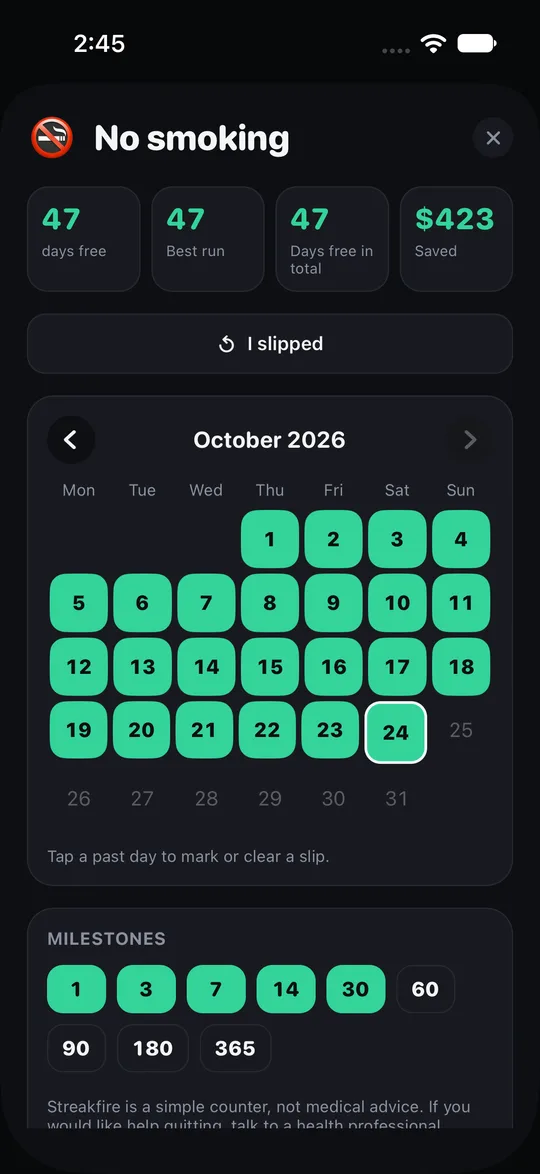
The counter does one thing: it counts days and the money you have saved. It does not treat anything and it does not give medical advice.
What the quit counter shows
- The number of days since you stopped.
- The money you have saved in that time.
- Milestones along the way.
- It works for quitting smoking, drinking or any other thing you choose.
What it does not do
- It is a counting tool only. It does not make quitting easier by itself, and it is not medical advice.
- If you need professional help to stop, talk to a qualified person.
- It counts days and money, nothing else.
Set up a quit counter
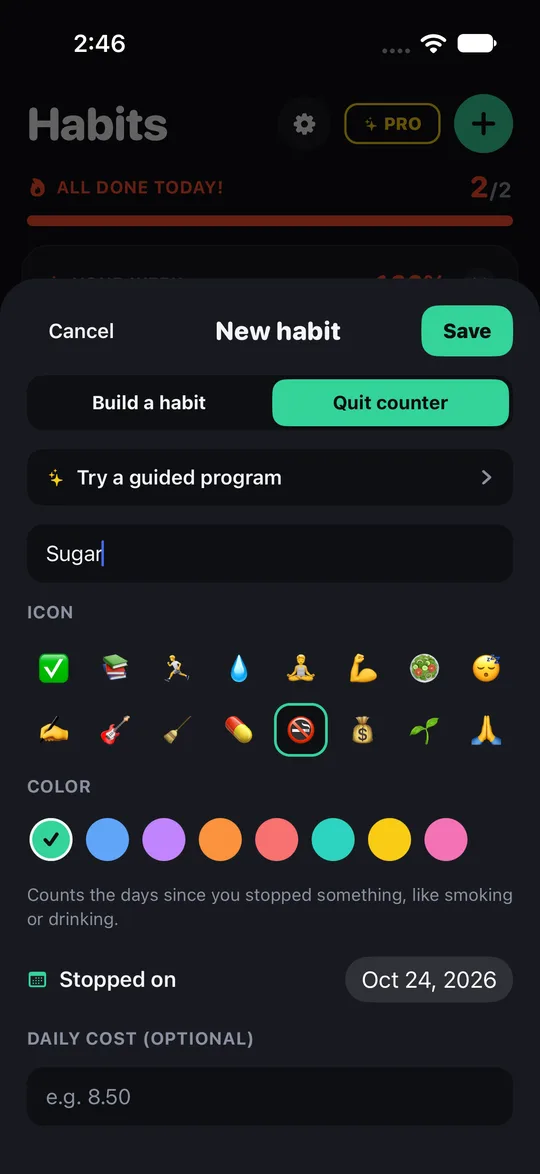
- Open Streakfire and add a quit counter instead of a normal habit.
- Name what you are quitting (for example sugar, cigarettes or a drink).
- Enter the date you stopped and the amount you used to spend, if you want the money saved to show.
- Check the screen whenever you want a reminder of how far you have come.
Use it next to normal habits
- Quit counters live in the same app as your habit grids. You can track a daily habit, such as a walk, next to a quit counter.
- See how to start a habit.
Frequently asked questions
Does Streakfire help me quit?
It counts days and savings. Whether to quit, and how, is up to you and, if needed, a professional.
Can I use it for sugar or drinking?
Yes. It works for any habit you want to stop.
Does it measure my phone use?
No. It counts days and money only.
Do I need an account?
No. No sign-up and no login, and your data stays on your phone.
Which phones?
iPhones with iOS 17 or later. The Streakfire download link is on the home page of this website, where you can start your first quit counter.