
RiseCheck
An alarm you stop by getting up, not by tapping Stop.
For anyone who turns alarms off in their sleep. To stop the rings you finish a short mission: solve a few sums, shake your phone or walk some steps. If you press Stop without it, RiseCheck rings again.

A look inside
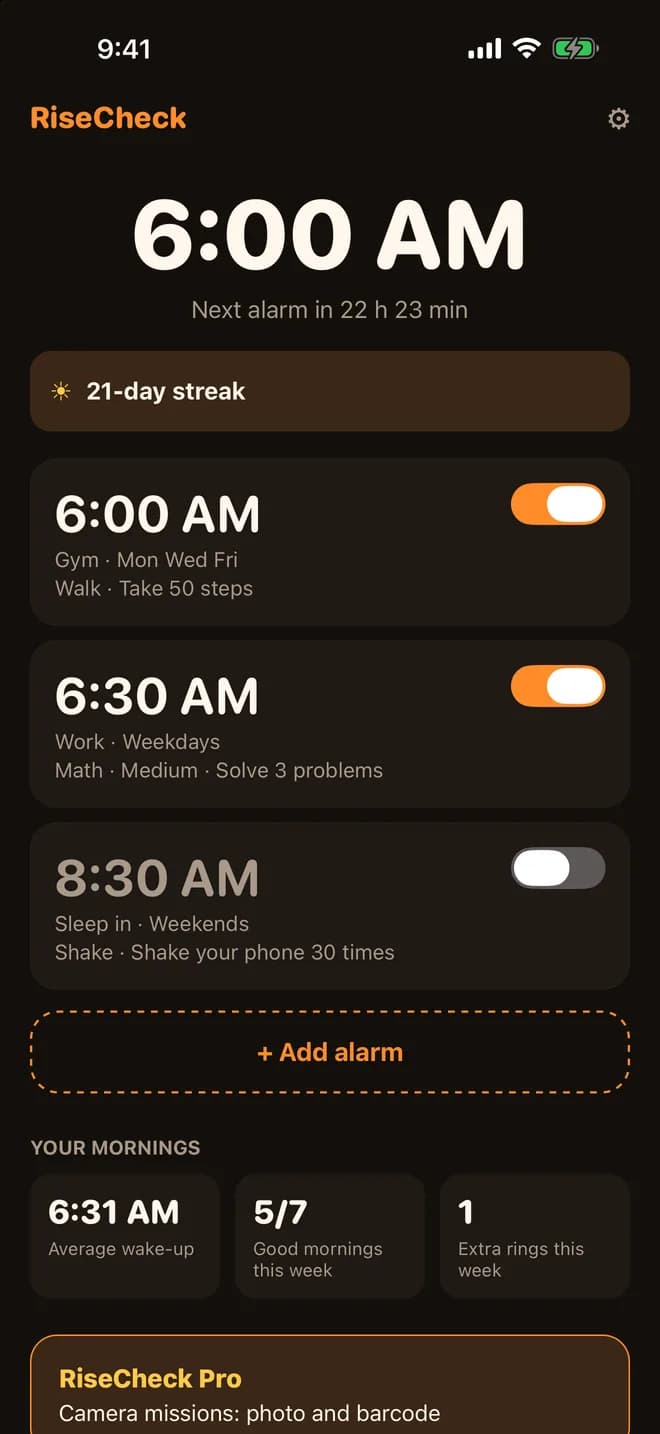
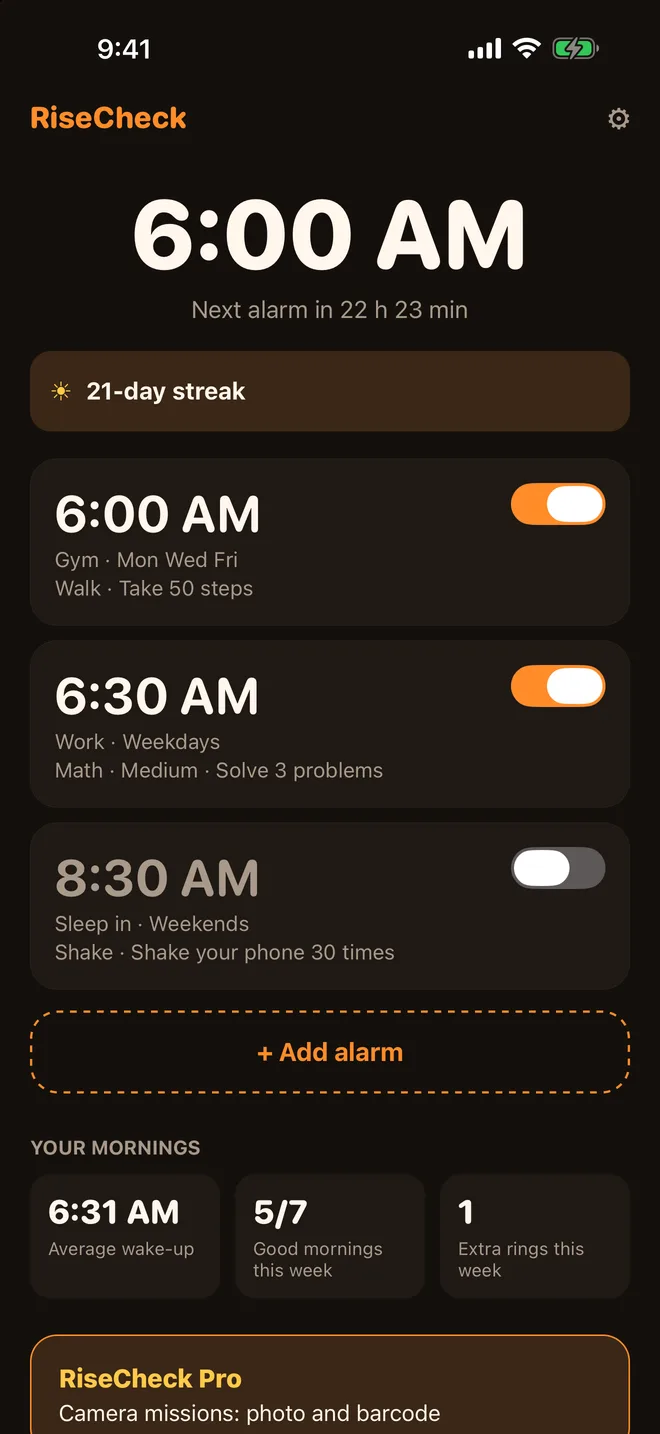
Your alarms and your morningsEach alarm shows its mission. Below: your average wake-up time and good mornings this week.
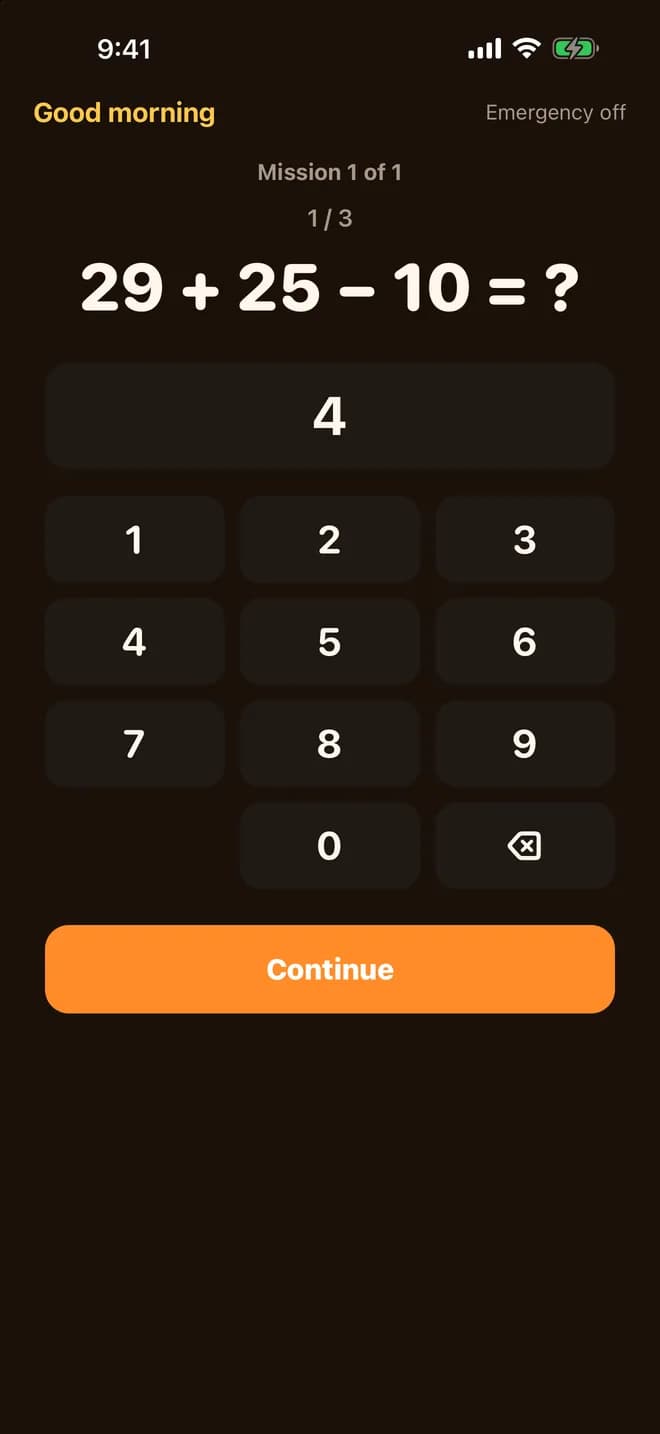
Solve it to stop the ringsA short math mission on a big number pad.
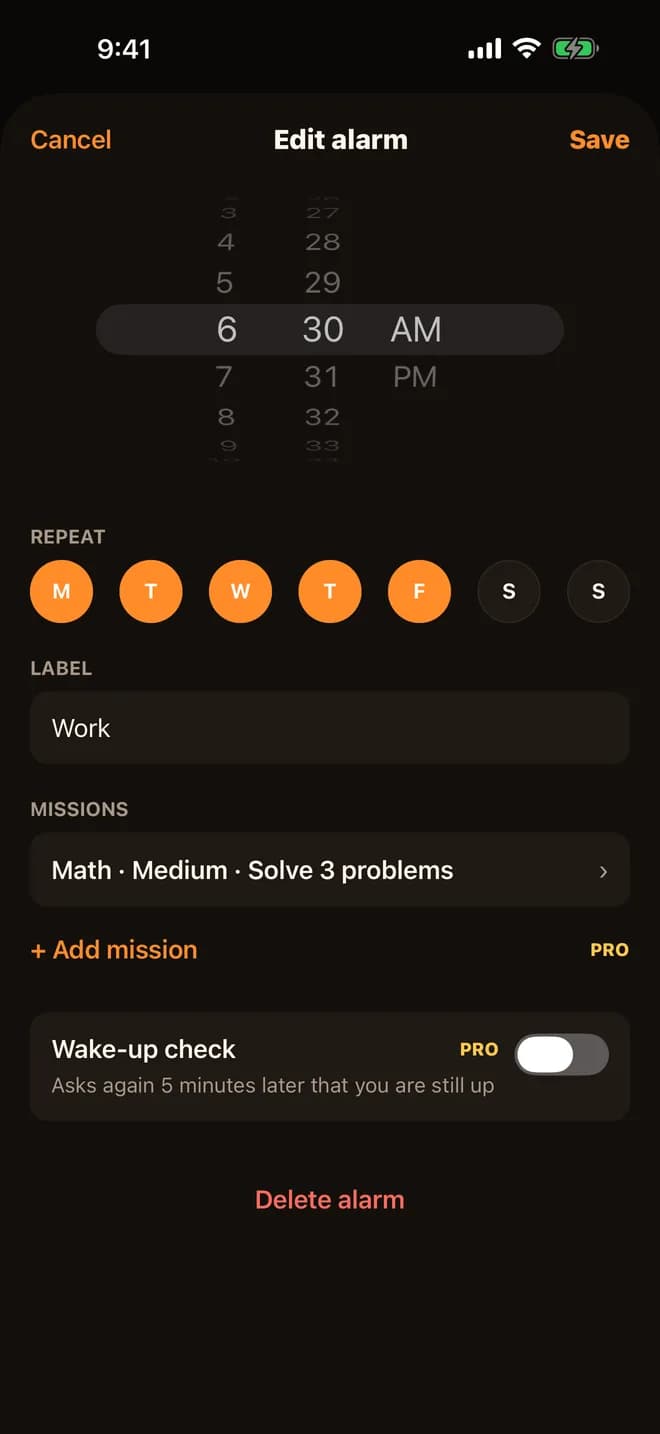
A mission for every alarmPick the time, the days it repeats and its mission.
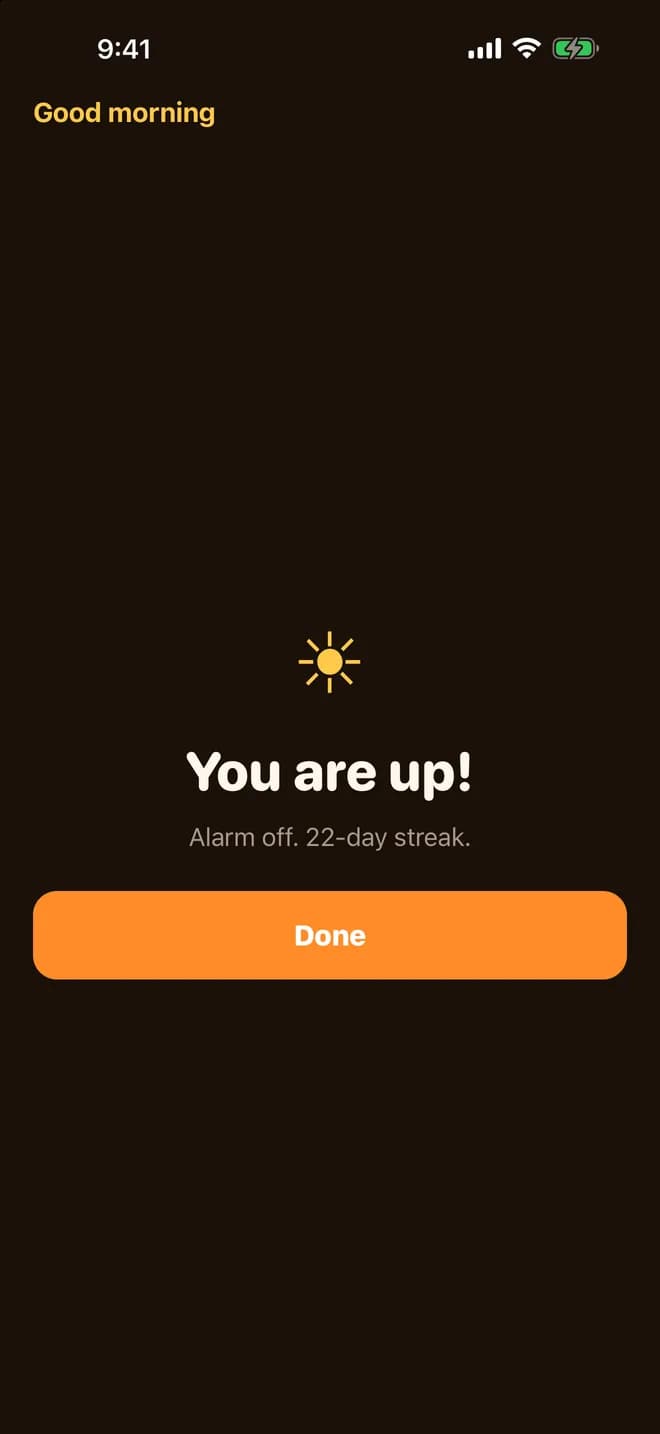
You are upMission done, alarm off, and your streak grows.
Screens show sample alarms. Camera missions, stacked missions and the wake-up check are part of RiseCheck Pro.
How-to guides
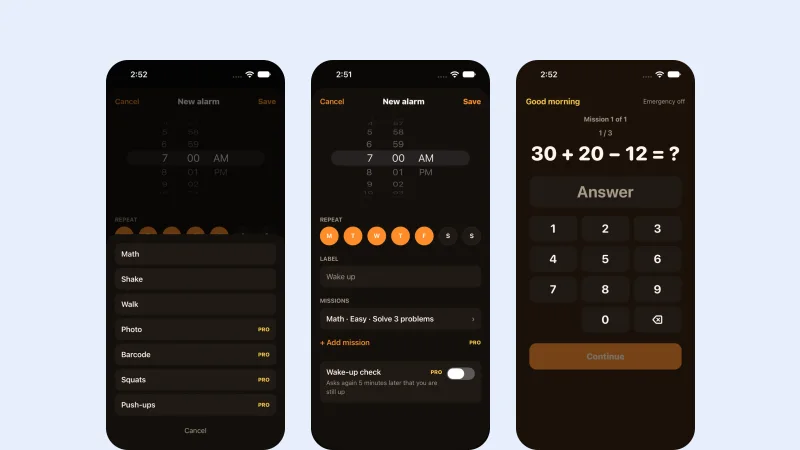 App · RiseCheck2 min readHow to Set an Alarm Challenge That Stops Only After a TaskPick a task for each alarm: solve a few sums, shake the phone, or walk some steps. If the task is not done, the alarm rings again.
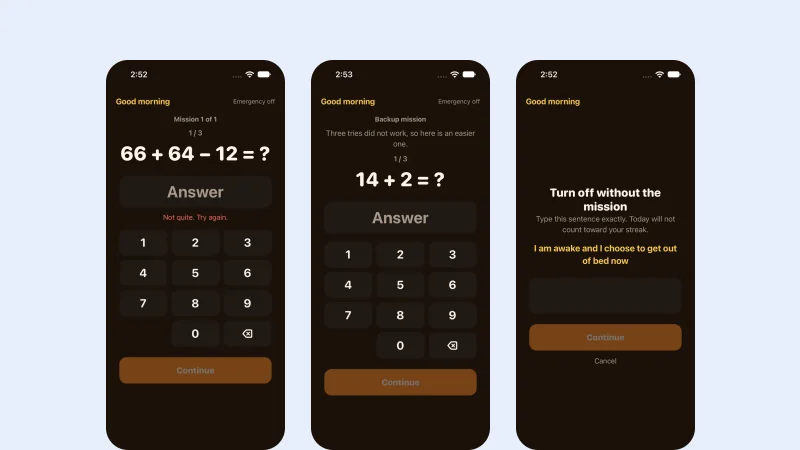 App · RiseCheck2 min readStuck on an Alarm Task? Backup Tasks and Emergency CloseAfter 3 failed tries, RiseCheck gives you an easier backup task. In a real emergency, you can type one sentence to close the alarm.
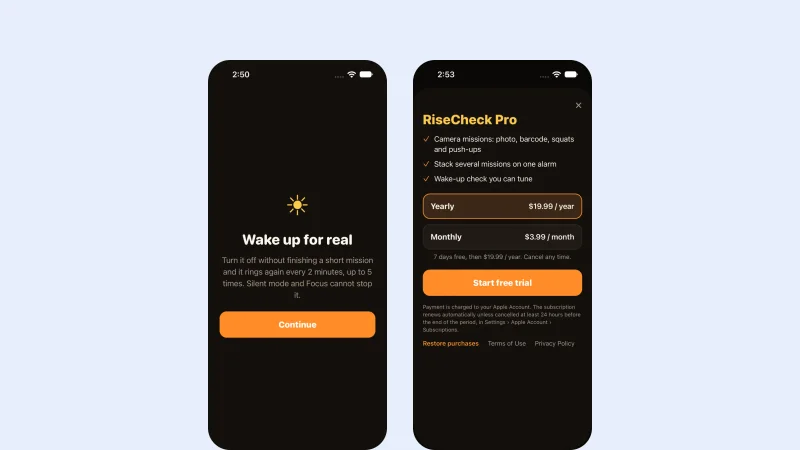 App · RiseCheck1 min readIs the RiseCheck Task Alarm Right for You?A short, honest list of who it suits and who it does not.
What it does
Rings through Silent and Focus
RiseCheck is built on Apple's own alarm system, so it rings even when the app is closed.
Missions that get you up
Solve sums at one of three levels, shake your phone or walk some steps. Choose a mission for each alarm.
Pressed Stop in your sleep?
Stop only ends the ring that is sounding. If the mission is not done, RiseCheck rings again a few more times to get you up.
Fair when you are half asleep
Big buttons on a calm, dark screen. Three failed tries bring an easier backup mission, and Emergency off is always there.
See your mornings improve
A streak of good mornings, your average wake-up time against last week, and how many extra rings it took.
Camera missions (Pro)
With Pro, photograph a spot in another room or scan a barcode, stack several missions, and add a wake-up check.
In motion
Stop the alarm by finishing a mission
The alarm rings, you solve the mission, and the alarm is off. Your streak of good mornings grows.
- Math at three levels, shake or walk
- Hear a test ring while you set it up
- Emergency off: type one sentence (that morning does not count toward your streak)
Your setup
Pick a mission for every alarm
Set the time, the days it repeats and a label, then choose the mission that will get you out of bed.
- Photo and barcode missions, such as your bathroom sink or your toothpaste (Pro)
- Stack several missions on one alarm (Pro)
- Wake-up check: one more ring 3, 5 or 10 minutes later (Pro)
Your mornings
Watch your mornings get better
The home screen shows your next alarm, your streak of good mornings and how this week is going.
- Days with no alarm never break your streak
- Average wake-up time, compared with last week
- Extra rings counted, so you can see your progress
Your mornings stay on your iPhone
RiseCheck works without an account. RiseCheck Pro has no ads.
- No account and no sign-up
- Your alarms and history stay on your iPhone
- Photos for camera missions are compared on your iPhone and never leave it (Pro)
Questions
SupportDo I need an account?
No. There is no sign-up. Your alarms and history stay on your iPhone.I pressed Stop but it rang again.
That is on purpose: Stop ends only the ring that is sounding. If the mission is not done, it rings again a few more times.I cannot finish my mission.
After three failed tries you get an easier backup mission. Emergency off also stops the alarm when you type one sentence; that morning does not count toward your streak.The alarm was not loud enough.
RiseCheck uses the iPhone's own alarm volume (Settings › Sounds & Haptics). Use the test ring in the app to check it.Which iPhones does it work on?
RiseCheck needs iOS 26.1 or later.How do I restore Pro?
Open Settings in the app and tap “Restore purchases”.How do I get help?
Email support@methodhelm.com with questions, bugs or ideas, or open the RiseCheck support page.