
Streakfire
Check in with one tap and watch every day light up.
A habit tracker that turns your days into a grid of lit-up squares. Pick the days that count, keep your streak with shields, and see your progress at a glance.

A look inside
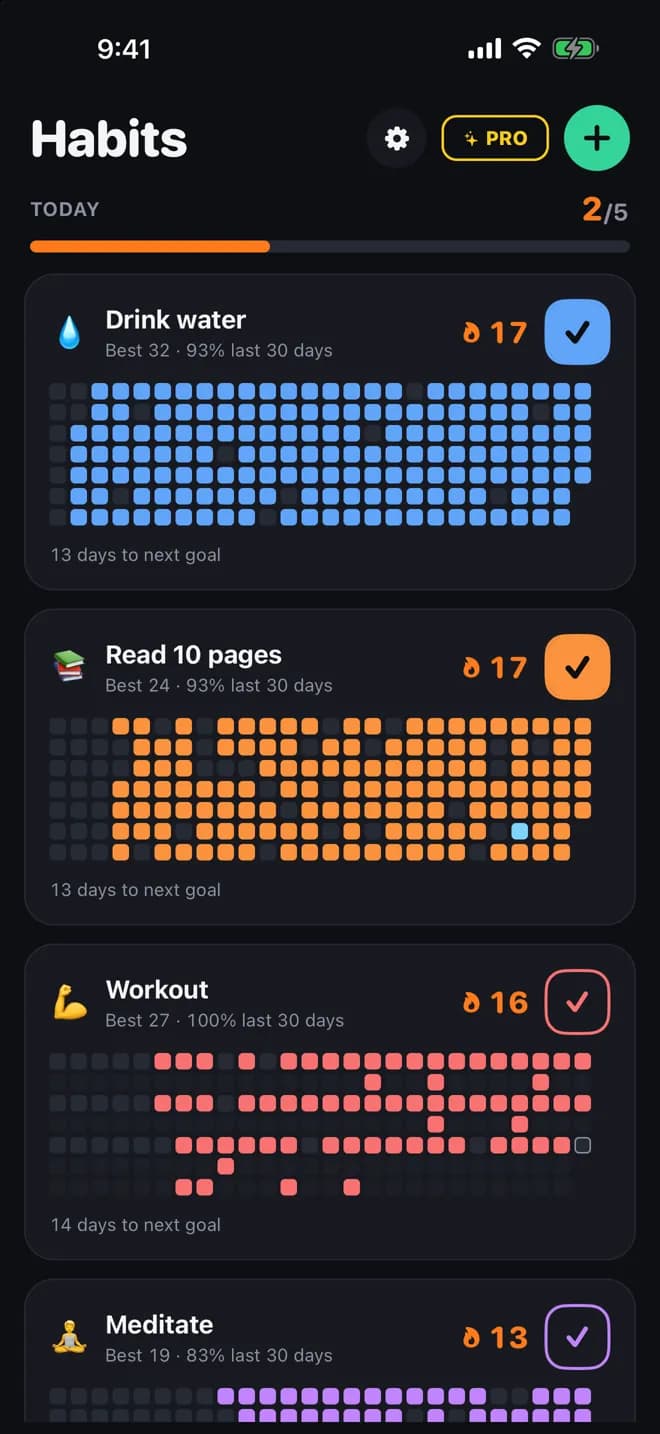
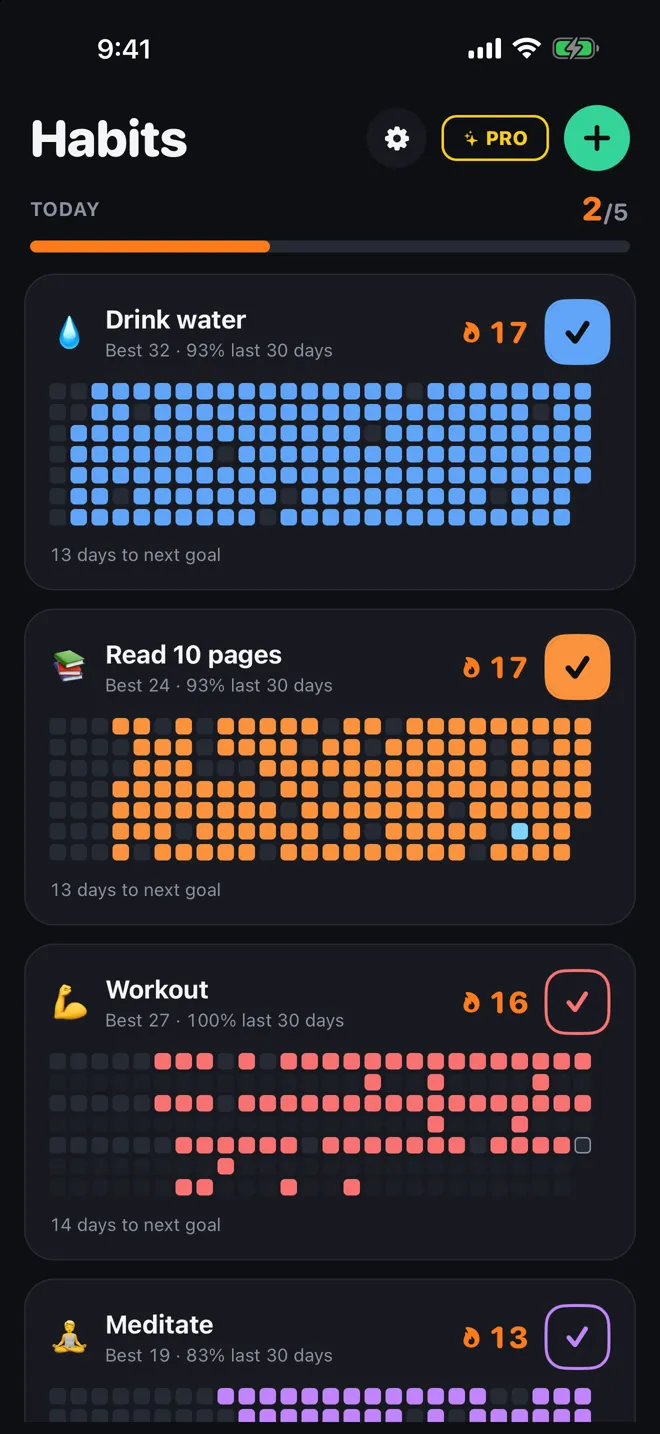
Every habit, one gridCheck in with one tap and see each day light up.
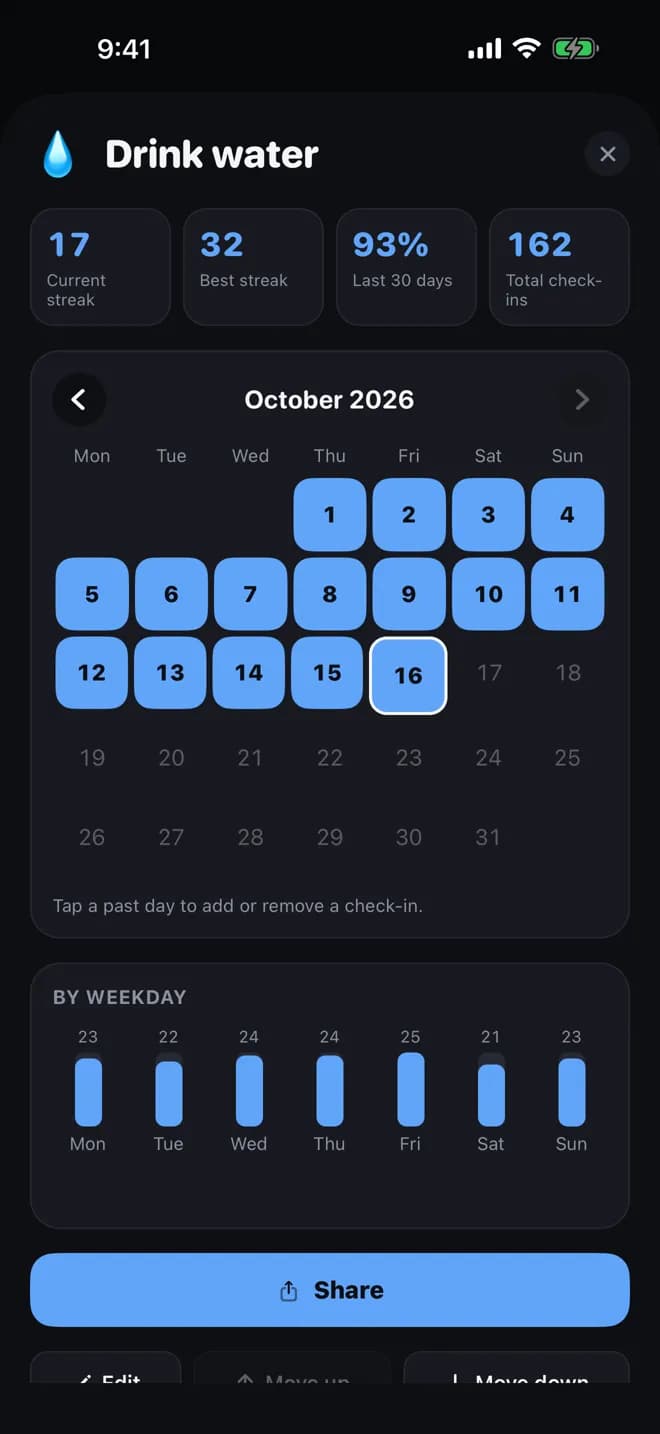
Your streak in numbersCurrent and best streak, your 30-day rate, and a calendar to fill in a day you forgot.
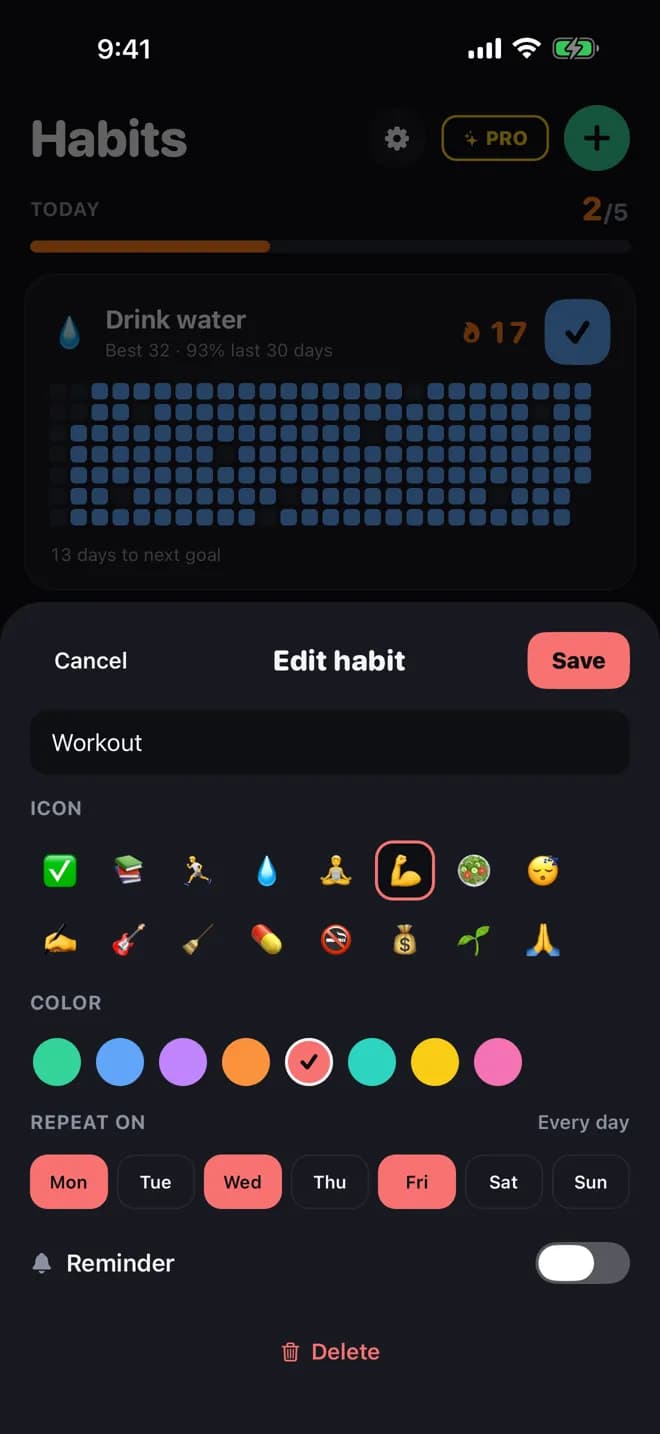
Pick the days that countChoose an icon, a colour, the days it repeats and a reminder.
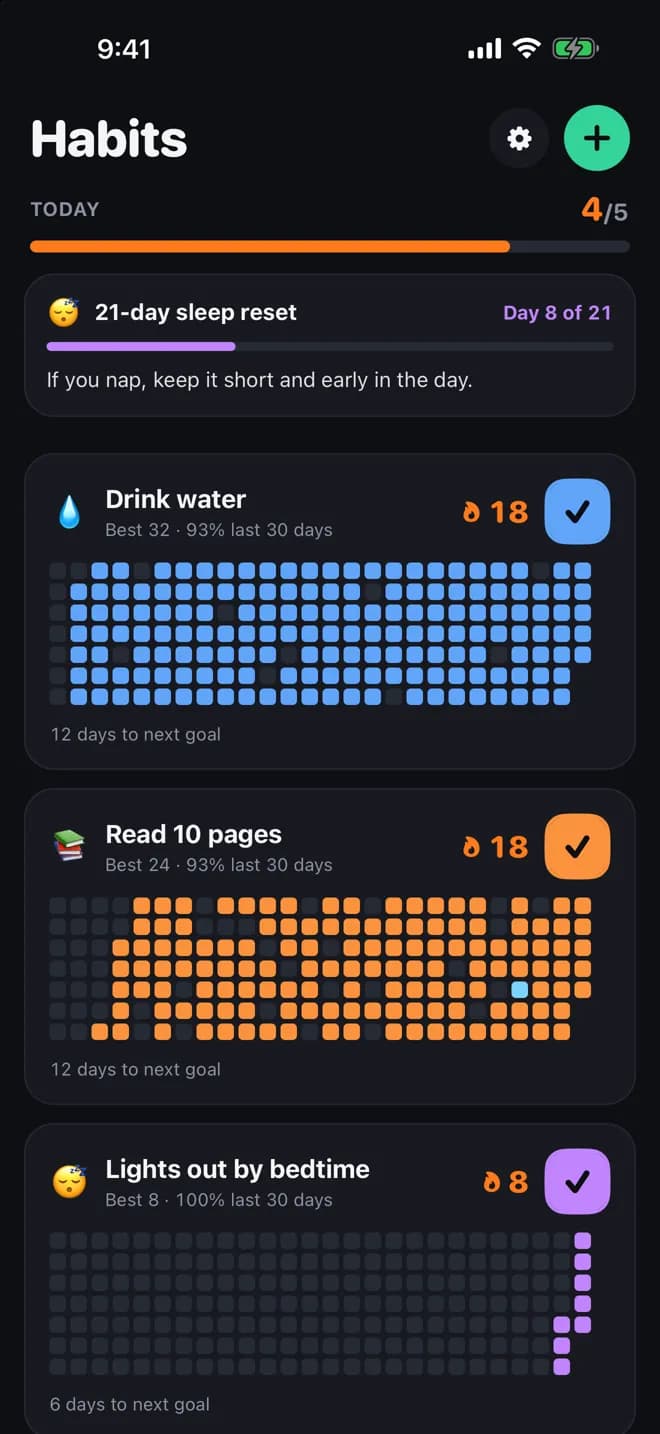
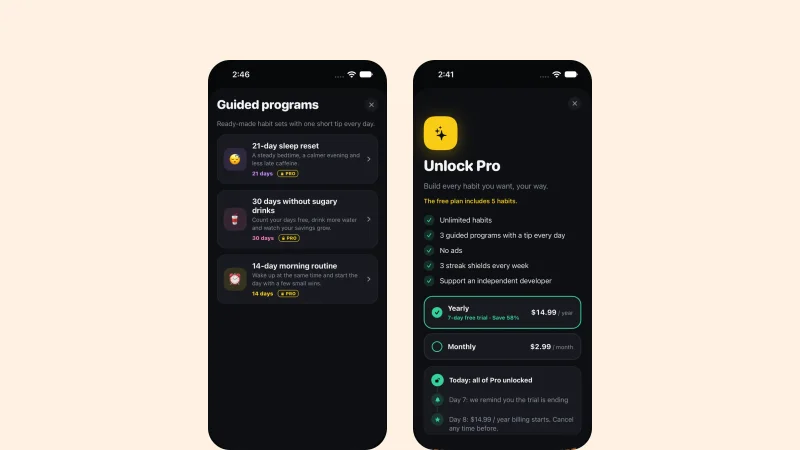
Guided programsA 21-day sleep reset and more, with a short tip every day.
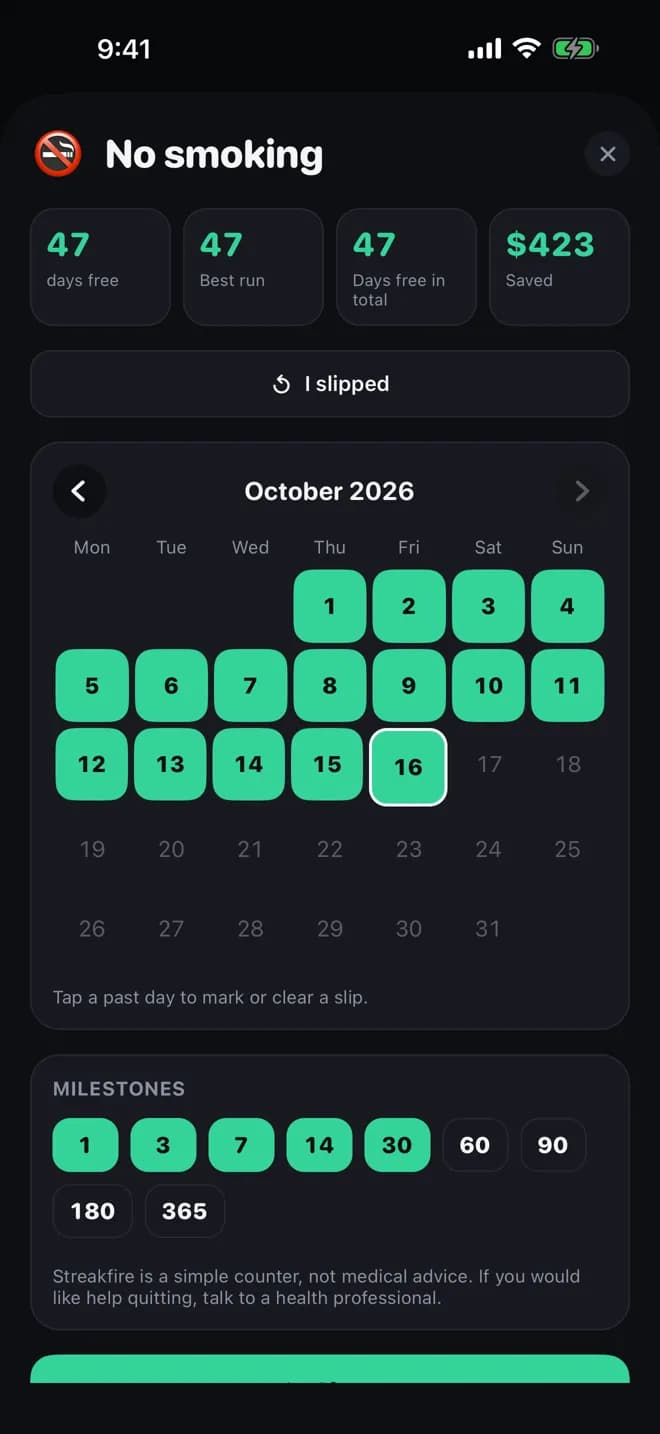
Quit countersCount the days since you stopped, with money saved and milestones.
Screens show sample habits. Guided programs are part of Streakfire Pro.
How-to guides
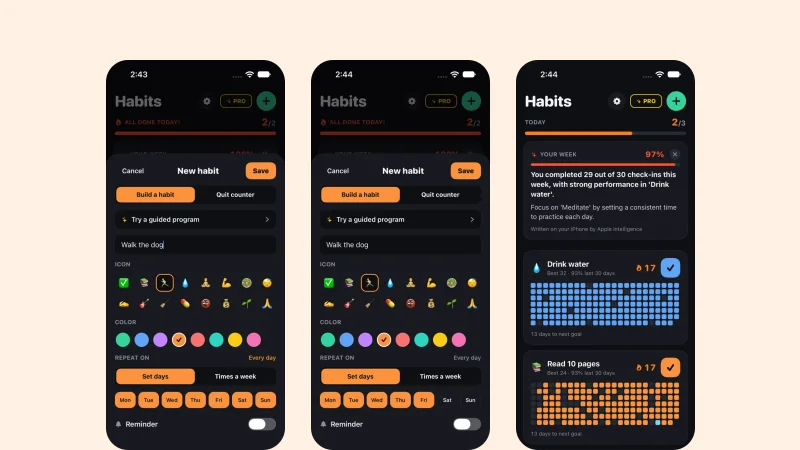 App · Streakfire2 min readHow to Start Tracking a Habit with StreakfireAdd one habit, choose the days, check in with one tap, and watch the grid fill up.
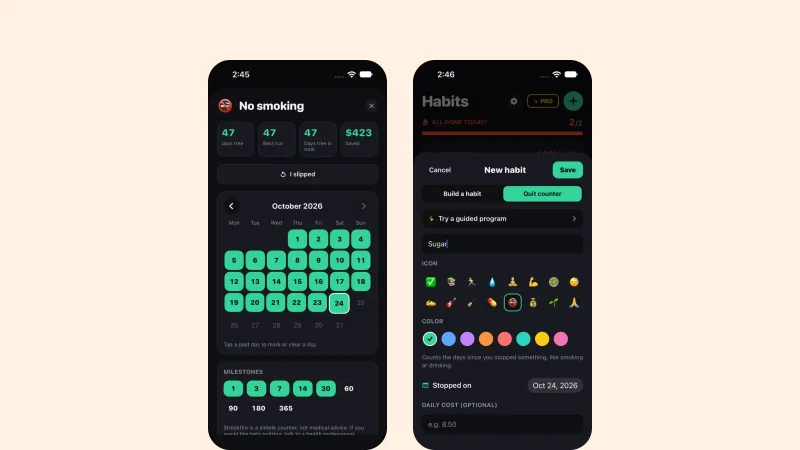 App · Streakfire2 min readHow to Use the Quit Counter to Break Bad HabitsThe quit counter shows how many days you have gone without, and how much money you have saved. That is all it does.
 App · Streakfire1 min readIs Streakfire Right for You?A plain list of who gets on well with Streakfire and who may want something else.
What it does
One-tap check-ins
Check in from the home screen and watch your grid fill up. Forgot a day? Fill it in from the calendar.
Pick your days
Train Monday, Wednesday and Friday? Rest days never break your streak. Or set a flexible goal, such as 3 times a week.
Streak shields
Missed a day? Use a shield to save your streak.
Quit counters
Count the days since you stopped smoking, drinking or anything else, with money saved and milestones.
Widgets and reminders
Home Screen widgets show today's habits and your last 7 days. Reminders come only on the days you scheduled.
Stats you can share
Current and best streak, 30-day rate and best weekdays. Share your streak as a colourful grid to any chat.
In motion
One tap a day, right from the home screen
Check in, open a habit to see your streak, count the days since you quit something, and follow a guided program (Pro).
- Tap the check to check in for today
- Forgot a day? Fill it in from the calendar
- Milestones at 3, 7, 30, 100 days and beyond
Stats
Your streak in numbers
Every habit has its own page with your current and best streak, 30-day rate, total check-ins and your strongest weekdays.
- A calendar of every check-in
- Share your streak as a colourful grid to any chat
Quit counters
Count the days since you stopped
Track the days without smoking, drinking or anything else, with your best run, money saved and milestones.
- Slipped? Mark it and keep counting from there
- A simple counter, not medical advice
Your schedule
Rest days never break your streak
Pick the days a habit repeats, or set a flexible goal such as 3 times a week. Missed a day? A streak shield saves it.
- Reminders only on the days you scheduled
- One evening alert when a streak is about to end
Your habits stay with you
Streakfire works without an account.
- No account and no sign-up
- Your habits are stored on your phone
- Export and import a backup whenever you like
Questions
SupportDo I need an account?
No. There is no sign-up. Your habits are stored on your phone.Does a rest day break my streak?
No. Only the days you schedule count, so a rest day never breaks your streak.I changed phones. How do I move my habits?
On the old phone open Settings → Export backup and save the file. On the new phone open Settings → Import backup and pick that file.How do I restore Pro?
Open the Pro screen and tap “Restore purchases”.Is the quit counter medical advice?
No. It only counts days and money saved. If you would like help quitting, a doctor can help.How do I get help?
Email support@methodhelm.com with questions, bugs or ideas, or open the Streakfire support page.