
How to Start Tracking a Habit with Streakfire
Last updated:
Habit apps can feel like a lot of setup. Streakfire keeps it small: one habit, one tap a day, and a grid that fills in as you go.
This guide shows how to start with a single habit, how to read the grid, and what the streak protection ticket and weekly goals do. Streakfire needs iOS 17 or later.
Start with one habit
- When you open the app for the first time, it shows "Pick a few to start. You can change them anytime." and "Choose up to 5". Tick a few common habits, or tap "Skip". Later, tap "+" at the top right of the home screen to add one.
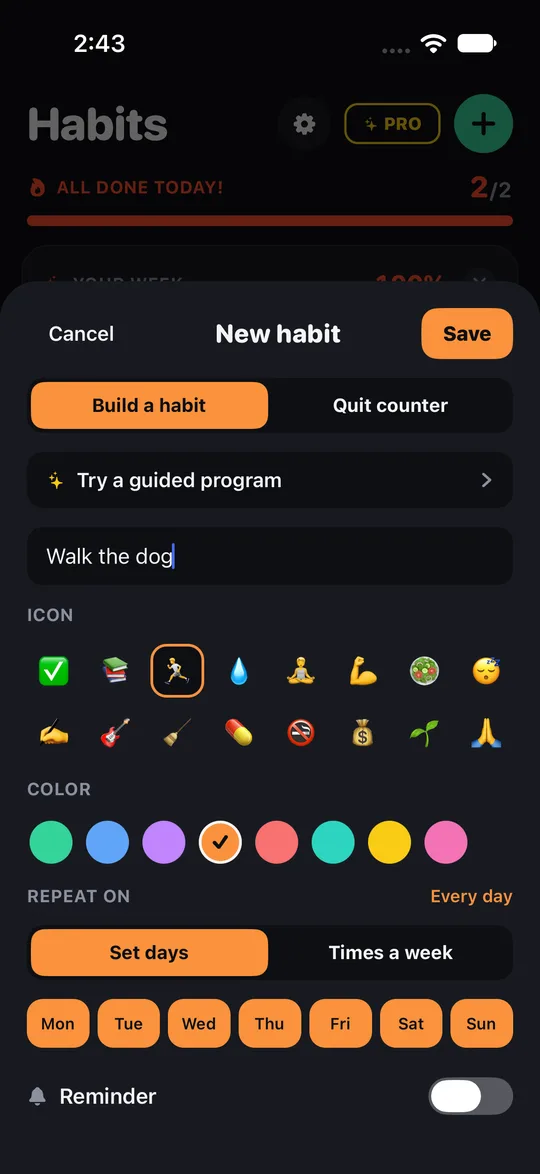
- Open Streakfire and add a habit. Water, reading, exercise: pick one you want to see every day.
- Choose an icon and a colour so it is easy to spot in your list.
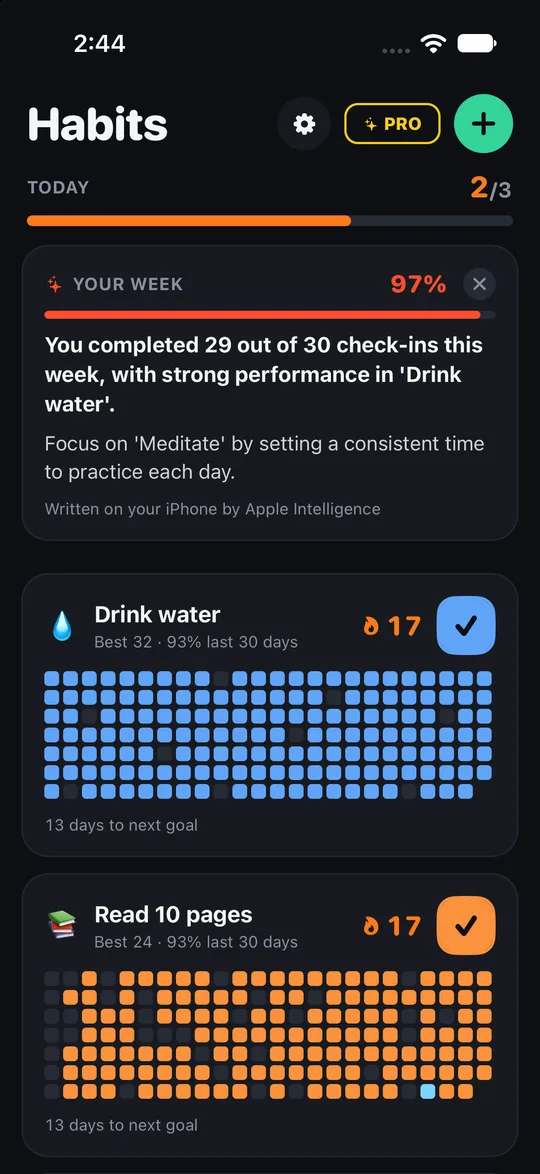
- Each habit gets its own grid.
Choose the days that count
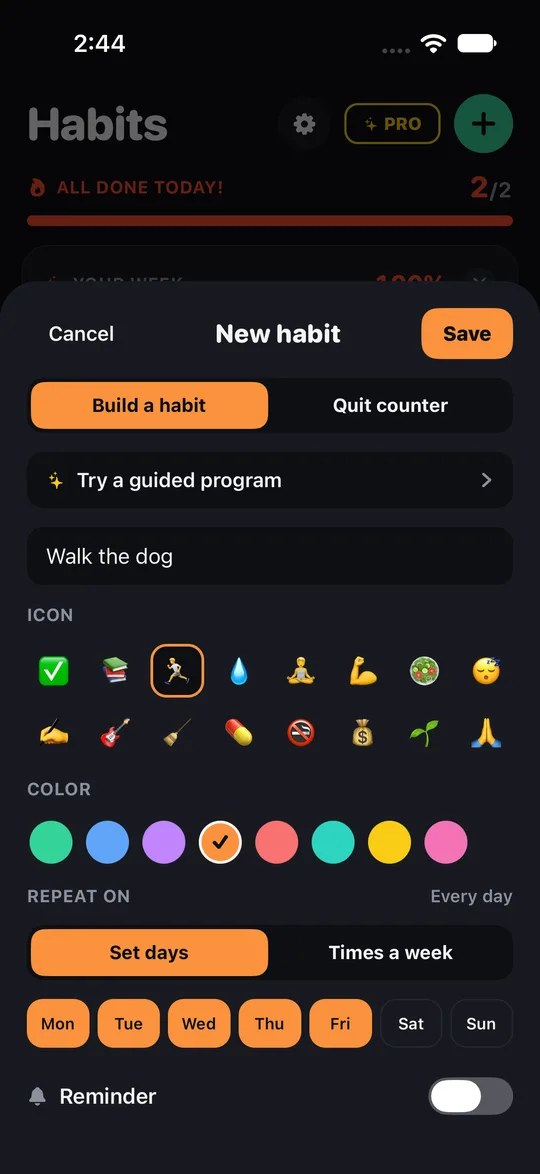
- You decide which days of the week a habit is due. A habit set for Monday, Wednesday and Friday does not ask for the other days.
- Rest days do not break your streak.
- Prefer a looser goal? Set it as "3× a week". The streak continues as long as you reach the weekly goal.
Check in and read the grid
- One tap checks in for the day. Each check-in lights up one square in the grid.
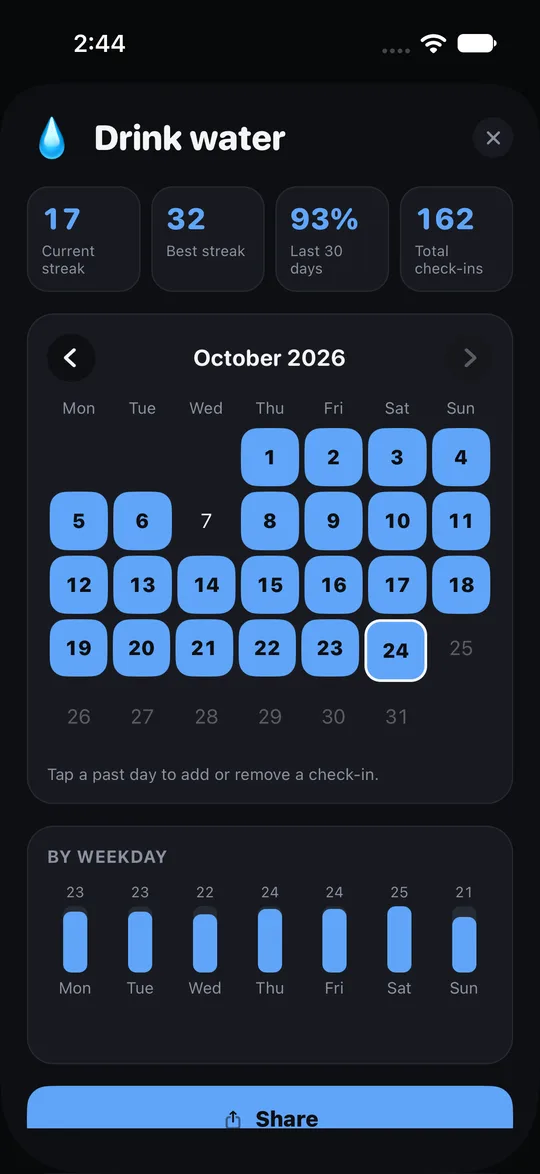
- Open a habit to see its detail page: your current streak, your record streak, how many of the last 30 days you completed, your total check-ins, and a calendar.
- Want to try a 21-day run? Check in every day and watch the squares line up. It is your own experiment; the app just counts.
Missed a day?
- A streak protection ticket can save your streak after a missed day.
- Use it when life got in the way, not as a daily habit.
Your opening week
- Add one habit and pick its icon and colour.
- Choose the days it is due, or set a weekly goal such as 3 times a week.
- Turn on a reminder so you remember to check in.
- Check in with one tap each time you do it.
- After a week, open the detail page and look at the grid and calendar.
- Add a second habit only when that one feels easy.
More features
- Home screen widget: see your habits without opening the app.
- Backup export: keep a copy of your records.
- The same app also has a quit counter for breaking bad habits. See how the quit counter works.
Frequently asked questions
Do I need an account?
No. No sign-up and no login. Your habit data stays on your phone.
How many habits can I track for free?
The free version holds 5 habits. Pro is a subscription with no cap on the number of habits and guided plans.
Which phones does it run on?
iPhones with iOS 17 or later.
Does the app do the habit for me?
No. It records what you do. See who Streakfire suits.
Where do I download it?
The home page of this website has the Streakfire download link; install it and add your first habit.