
How to Open a Quotation and Let Your Client Sign It on Your Phone
Last updated:
If you take on projects as a freelancer, craftsperson, studio or small shop, a quotation is where a job starts. Paidstamp lets you write one on your phone.
This guide shows how to build a quotation, share it as a PDF, and let your client sign to accept it. Paidstamp needs iOS 17 or later.
Note: this is a commercial document, not an official tax invoice where your country requires one.
Build the quotation
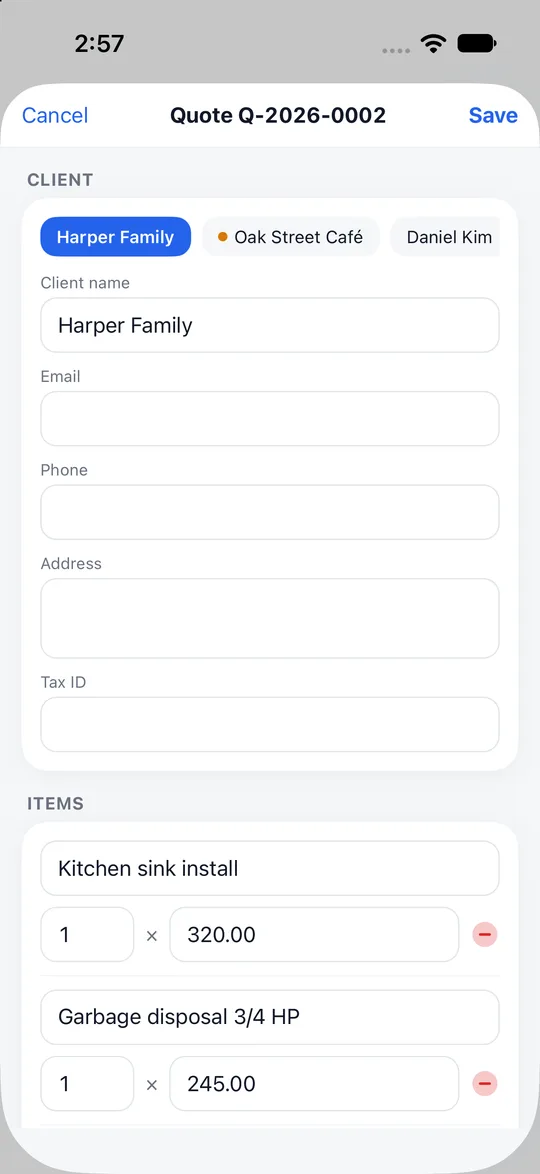
- Add your line items: what you offer, the quantity and the unit price.
- Add a discount if you give one.
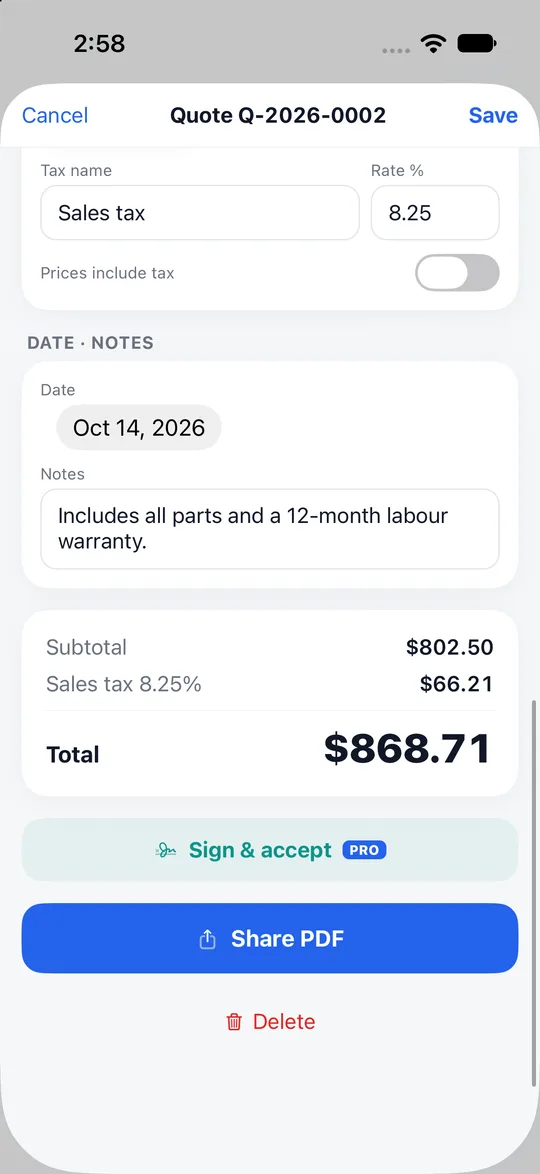
- The tax and the total are calculated for you.
- A quote can be ready in about a minute.
Share it or print it
- Paidstamp makes an A4 PDF.
- Share it by LINE, email, message or AirDrop, or print it.
Client signature
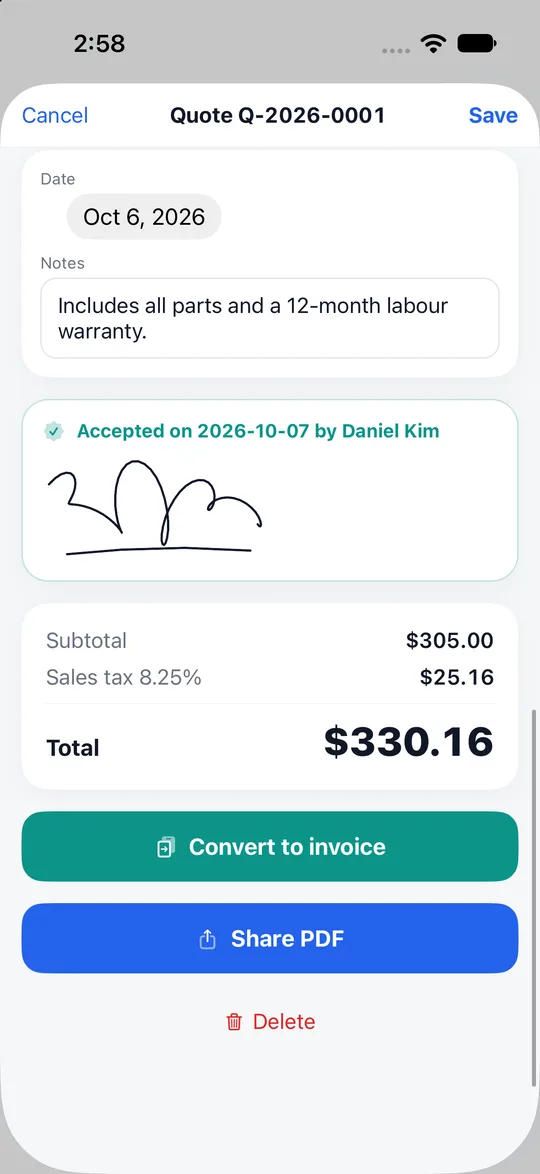
- Your client can sign to accept the quotation straight on your phone.
- Once the quotation is accepted, you can turn it into an invoice to ask for payment. See from quotation to invoice and receipt.
- On the free version, one signed acceptance a month is included; after that one, you need Pro, which has no limit. The button shows a small PRO label on the free version even while this month's free one is still available.
Your quotation in a few minutes
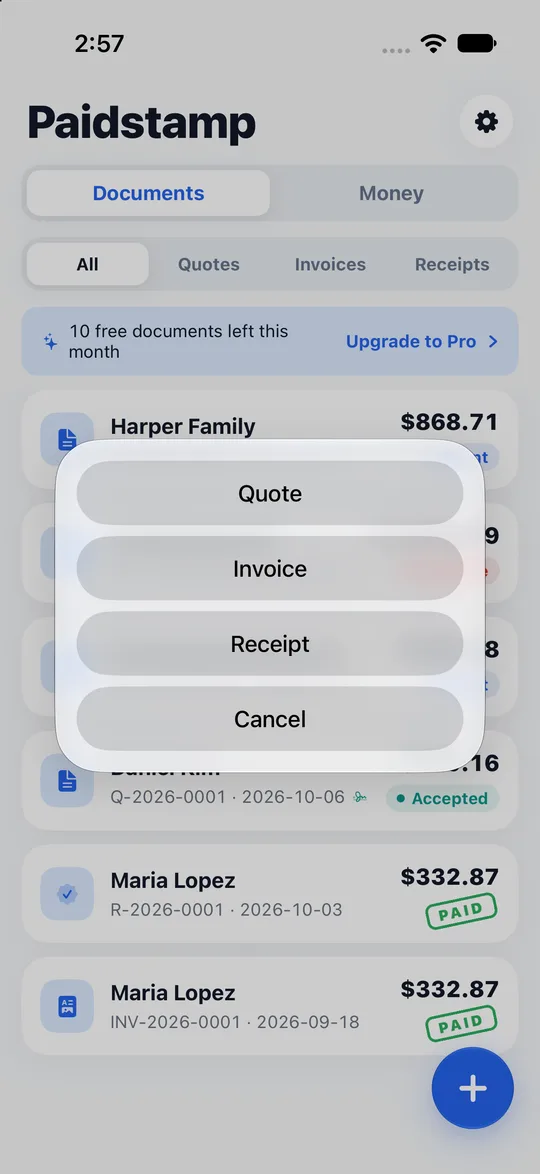
- The first time, enter your business name (it shows on your documents). On the home screen, tap "Create a document" and choose "Quote".
- Add the client's name.
- Add the items, quantities and unit prices.
- Add a discount if needed and check the total.
- An A4 PDF is generated before you share.
- Share it, print it, or hand your phone over for the client's signature.
Good to know
- The free version lets you create 10 documents a month and shows ads. Pro is a subscription: no limit on documents and your own logo.
- No sign-up. Documents and client details stay on your phone.
- Paidstamp creates quotations, invoices and receipts only. It is not a substitute for an official tax invoice such as a Taiwan uniform invoice or e-invoice.
Frequently asked questions
Do I need an account?
No.
Can the client sign on their own phone?
The signing is done on your phone.
Is it right for me?
Not sure Paidstamp is for you? Read who Paidstamp suits to see who it fits.
Where do I download it?
Open this website's home page: the Paidstamp download link is there, so you can install it before you send your first quotation for signing.
Plans?
See the pricing page.