
Consistent Team Headshots for Your Small Business Website, Without a Photographer
A team page with a selfie in a garden, a cropped wedding photo and a photo from a conference looks uneven, even if every person is great. A photographer fixes that, but for a team of five to fifteen people spread across a city, or working remotely, a shoot is hard to organise.
Methodhelm editorial teamLast updated: 4 min read


This guide shows a practical way to collect photos from the team, produce a consistent set with AI headshot, check every result against the real person, and publish with consent. For the shooting tips for one person, see Professional headshot from a selfie.
On this page
Ask for consent first, in writing
- Every person decides whether their photo is uploaded and published. Send a short message explaining that photos will be processed by an AI tool and will appear on the website. Keep the replies.
- Only upload photos of people who agreed. Do not use a photo of a former employee or a freelancer unless you have their permission to keep using their image.
- Let people say no, or use their own photo, without any pressure.
Ask staff for photos that work
Send the same short brief to everyone:
- A recent photo of you, from the chest up, facing the camera.
- Daylight from a window in front of you, no flash, nothing strongly coloured behind you.
- Phone held at eye level, ideally with the timer, with the rear camera.
- Plain top, no big logos. Glasses are fine if the lenses are clear and there is no glare.
- Hats and sunglasses off. No group photos, no heavy filters.
- Send it as the original file, not a screenshot or a photo of a photo.
Pick one style for everyone
The tool offers four background styles: Professional, Corporate, Clean and Gradient. Run one test person in each style, then choose one style for the whole team. We tried 4 styles on 2 people: all 8 results had a plain-colour background with no studio lights or stands, and the clothing was changed to a suit jacket. Check every result against the real person. Mixing styles is the quickest way to bring back the uneven look.
Step by step: make the team set
- Create a shared folder with the original photos
Name files with the person's name.
- Test with one person
Open AI headshot, sign in, upload one photo, choose a style and look at the price before you run it.
- Check the result
Compare it with the original at 100 percent: eyes, nose, hairline, glasses, skin, clothing and jewellery. If it does not look like the person, do not use it.
- Fix the style for the whole team
Use the same background style for every person.
- Run the rest of the team
Do the people one by one, each with its own run. A run that fails gives the held credits back by itself, and a run still being confirmed can keep them held until that check ends.
- Check the shape
Results come back in the shape closest to the photo (square, 3:4, 4:3, 9:16 or 16:9). If the team page needs the same shape for everybody, ask staff for the same framing from the start, or crop afterwards in your website editor.
- Let each person approve their own photo
Send each person the result. If they don't like it, use their original photo or a new photo.
- Save each team member's headshot within 24 hours
Results are kept for 24 hours, so save them to your folder. The Privacy Notice says results are fully deleted from storage within 7 days.
Keep it honest on the website
- Add a line such as "Team photos edited with AI" on the team page or in the footer. It is simpler than answering questions later.
- Don't use headshots to make people look younger, slimmer or different from how clients will meet them.
- Update the photo when a person changes their hair, grows a beard or starts wearing glasses.
When not to use AI headshots for your team
- Official documents. Never use an AI headshot for a passport, ID or visa. See rejected passport photos.
- Roles where being recognised matters. A doctor, a real-estate agent or a teacher whom customers meet in person should use a photo that looks like them today.
- Group shots. The tool handles one person per photo.
- Strong consistency of lighting and angles. The results look similar in background but not identical in lighting and angle. For a legal or medical practice with strict brand rules, hire a photographer once a year.
Frequently asked questions
How many people can I process at once?
One photo per run. Run each person in turn.
Can I use the same style for everyone?
Yes, and we suggest it.
What if the AI changed someone's face?
Don't use that result. Try a different photo of the person, a different style, or use the original.
Do I need to tell visitors the photos were edited with AI?
There's no single rule that applies everywhere, but a short note builds trust. Check any rules for your country and industry.
Does it cost credits for every person?
Yes. Each person's photo is its own run with its own credit price, shown before you start. A run that fails is not charged, though credits can stay held while a result is waiting to be confirmed.
Related guides
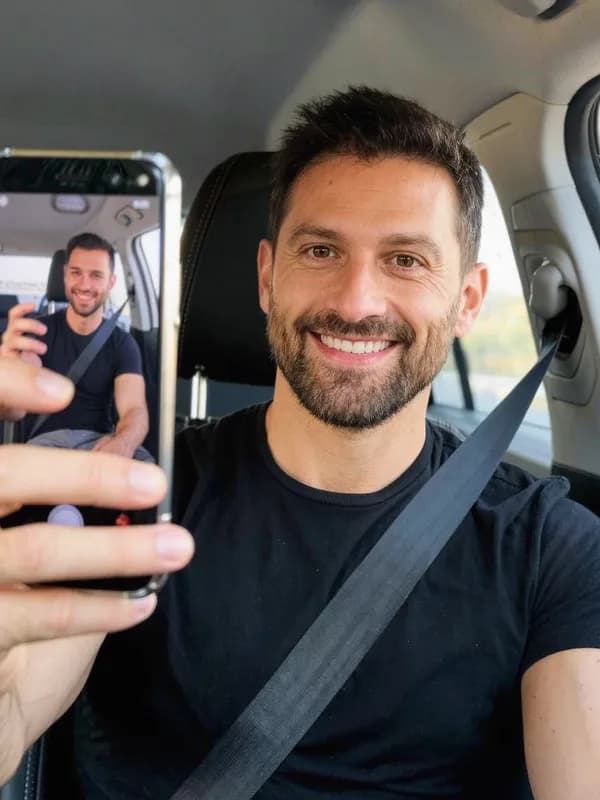
 How to Turn a Selfie Into a Professional LinkedIn HeadshotTake a selfie that works as a profile photo, decide whether an AI headshot helps, and check the result still looks like you.
 Passport Photo Rejected? What to Check and What to Do NextFind out why a passport or visa photo was rejected, decide between a retake and a crop, and avoid edits that get a photo refused again.
Related tools


Try one team member first
Upload one selfie, choose a background style, see the price before you run it, and check the result before you do the whole team.