
How to Turn a Selfie Into a Professional LinkedIn Headshot
You do not need a studio session to have a decent profile photo for LinkedIn, a company directory or a speaker bio. A well-lit selfie taken with some care already gets you most of the way: a clear face, a calm expression and nothing distracting behind you. What usually lets a phone photo down is not the camera but the light, the angle and a cluttered room.
Methodhelm editorial teamLast updated: 5 min read
This guide covers how to take that selfie, how to turn it into a polished headshot with an AI tool if you want one, and how to judge the result honestly. It also explains where an AI-generated headshot is the wrong choice, because in some countries and for some documents people expect a real, unedited photo.
 Before
 After
AfterOn this page
What makes a profile photo look professional
On LinkedIn your photo is mostly seen as a small circle next to your name, in search results, comments and messages. At that size only a few things register: whether your face is clearly visible, whether you look approachable, and whether the image is sharp. A head-and-shoulders framing with your face filling a good part of the frame reads far better than a full-length shot or a cropped group photo.
LinkedIn's help pages have recommended a profile photo of at least 400 × 400 pixels. Requirements like this change, so check the current guidance in LinkedIn's help centre before you upload. Any reasonably recent phone camera produces far more than that, so resolution is rarely the problem; blur and poor light are. If your best existing photo is soft, the guide on fixing a blurry photo explains what can and cannot be recovered.

Step by step: from selfie to headshot
- Face a window
Stand or sit facing a window in daylight so soft light falls evenly on your face. Avoid having the window behind you, overhead ceiling lights alone, or harsh midday sun.
- Set the camera at eye level
Prop the phone on a shelf or stack of books at eye height, or hold it at arm's length. Use the self-timer and the rear camera if you can, since it is usually sharper than the front one.
- Frame head and shoulders
Leave a little space above your head and include your shoulders. Choose a plain, uncluttered wall, wear a solid-coloured top and try a natural, slight smile rather than a posed grin.
- Pick the sharpest frame
Take a dozen shots and zoom in on your eyes to choose one that is in focus, with your whole face visible and no sunglasses.
- Generate a headshot if you want one
Upload the photo to the AI headshot generator and choose a background style: Professional, Corporate, Clean or Gradient. You see the exact credit price before it runs, and a result usually arrives in 20 to 60 seconds.
- Check the likeness, then crop
Compare the result with your original at full size and decide whether it still looks like you. Crop so your face sits in the centre and nothing important is lost when the photo is shown as a circle.
Tips that work with any tool, or none
- Clean the phone lens before you start; a smudged lens causes the hazy look many people blame on the camera.
- Turn off beauty filters and heavy portrait-mode blur, which can smear hair edges and make skin look plastic.
- Shoot slightly from above eye level rather than below, which tends to look more natural.
- Keep the same photo across LinkedIn, your email signature and other work profiles so people recognise you.
- Leave space around your head; a tight crop loses your hair or chin once the circle mask is applied.
- Update the photo when your appearance changes noticeably, such as a new hairstyle, glasses or a beard.
- If you only want a cleaner look, gentle retouching keeps your own photo, and a background changer swaps the room behind you without regenerating your face.
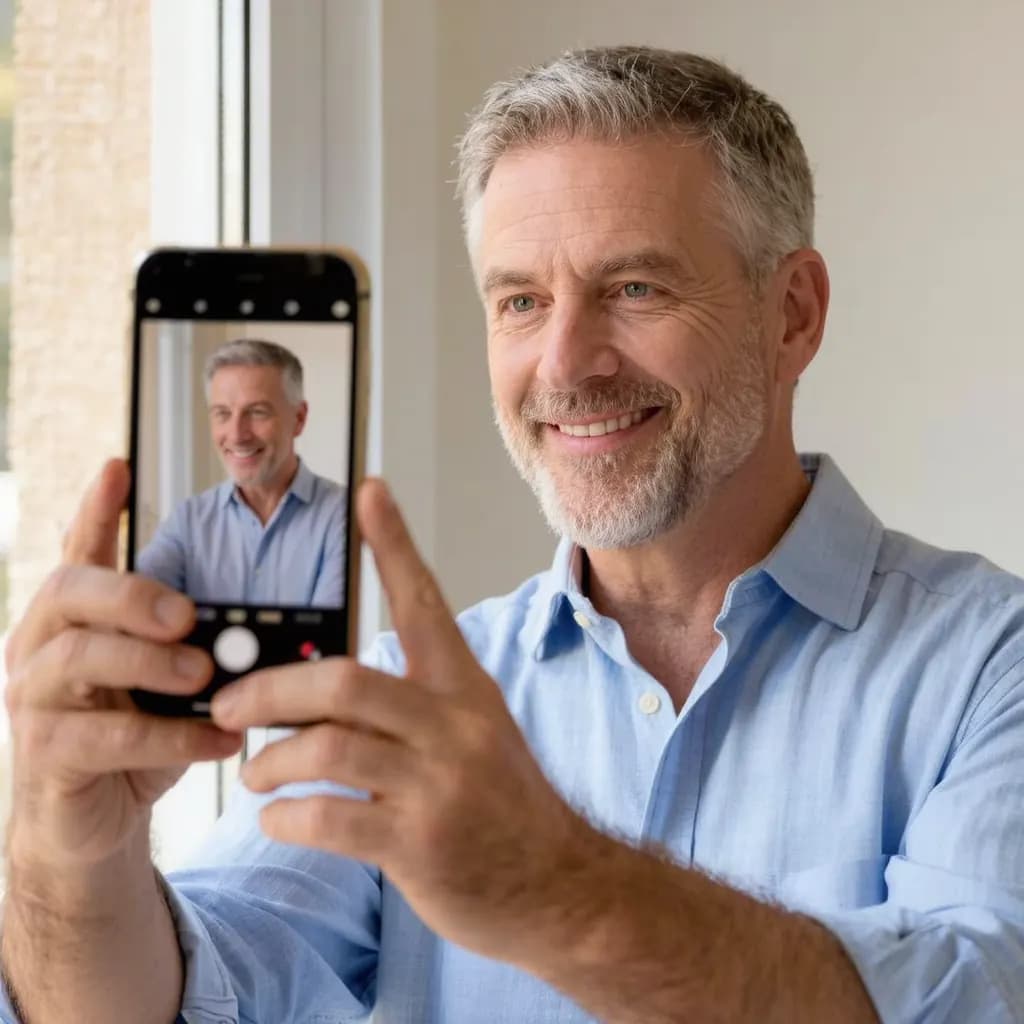
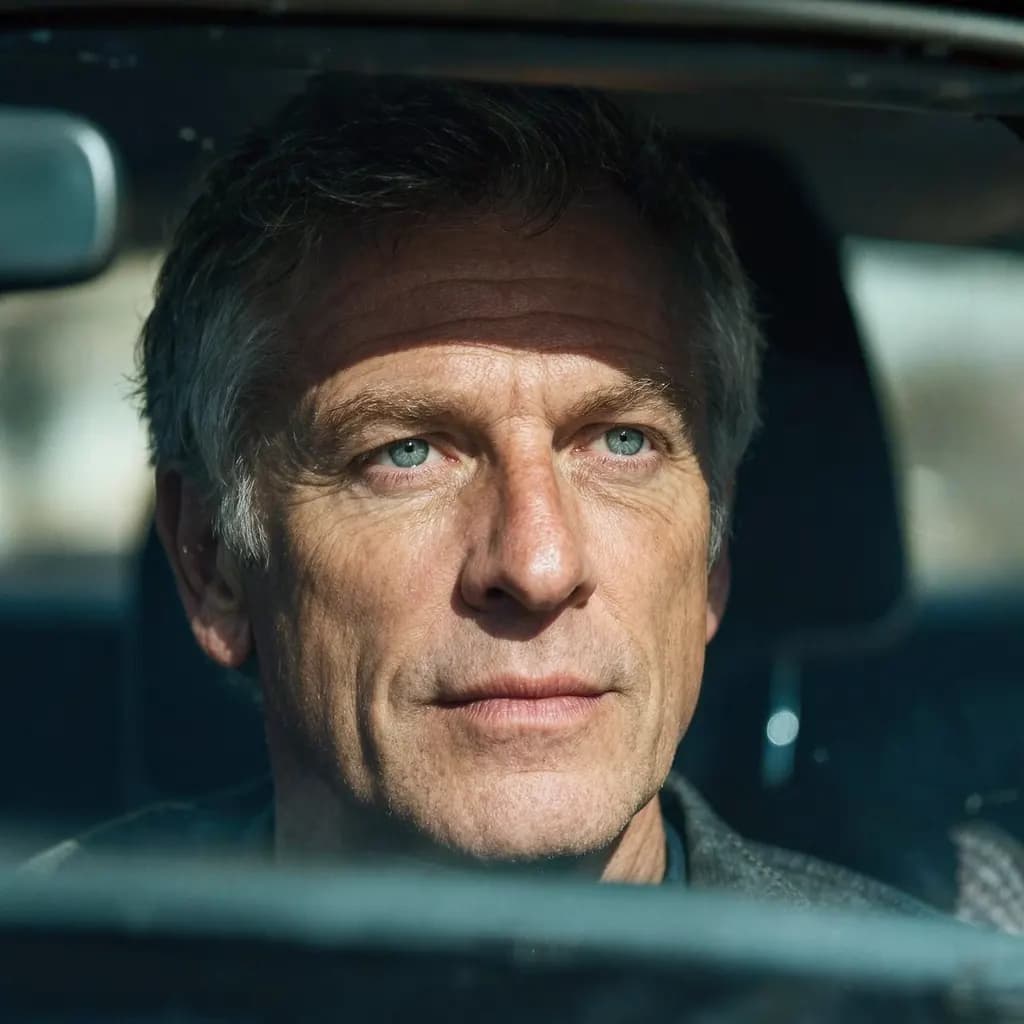
Choosing a result that still looks like you
A profile photo has one job: helping someone recognise you when you join a video call or meet them in person. A headshot that looks slightly better than you do on a good day is fine; one that looks like a different person works against you. Look closely at your eye shape, nose, hairline, skin texture and any glasses, and reject results that change them.
It helps to ask a colleague or friend which version looks most like you today. Choose clothing in the result that you would actually wear to work in your field, and keep the background quiet so your face stays the focus at thumbnail size.
Limitations: when an AI headshot is the wrong choice
An AI headshot is generated from your photo. It aims to keep your likeness, but it can change details of your face, hair, skin or clothing, so always check it before you use it. The result is up to 2048 pixels on the long side and comes in the standard shape closest to your photo (square, 3:4, 4:3, 9:16 or 16:9), so the edges may be slightly trimmed or extended.
In Japan, Korea, Germany, France and other places, a photo on a CV or application is common, and an employer may expect an authentic, unedited picture. For those uses, and for anything official, a real photo taken in good light is the safer choice. Never use a generated headshot on a passport, ID card or visa; use a passport photo tool and the guide to passport photos at home instead. Only upload photos of yourself, or of someone who has agreed.
Frequently asked questions
Can a selfie really work as a LinkedIn profile photo?
Yes, if it is sharp, lit evenly from the front, taken at eye level and framed head and shoulders against a plain background. Using the rear camera with a timer usually gives a cleaner result than an arm's-length front-camera shot.
What size should a LinkedIn profile photo be?
LinkedIn's help pages have recommended at least 400 × 400 pixels. Check LinkedIn's current help centre before uploading, since its guidance can change.
Will an AI headshot look exactly like me?
Not necessarily. It is generated from your photo and aims to keep your likeness, but it can change details of your face, hair, skin or clothing. Compare it with your original and use it only if it still clearly looks like you.
Can I use an AI headshot on a CV or ID document?
Never on a passport, ID card or visa, which need an unedited photo. For CVs and applications, many employers in countries such as Japan, Korea, Germany and France expect an authentic photo, so a real, well-lit picture is the safer choice there.
How much does an AI headshot cost on Methodhelm?
You sign in and see the exact credit price before the run starts. Failed generations aren't charged — held credits come back automatically. Your result is kept for 24 hours to download. See pricing for credit packs.
Related guides

 Example: CV / résumé photoHow to Take a Passport Photo at Home That Meets the RulesLighting, background, expression and glasses rules for a home passport photo, plus how to print it at the exact size.
 How to fix a blurry photoRecognise the kind of blur in your photo, sharpen it with AI or a classic editor, and know when a picture cannot be saved.
Related tools



Turn your selfie into a headshot
Upload a sharp, well-lit photo of yourself and pick a background style. You see the credit price before it runs, and failed generations aren't charged.