
Math alarm clock: how it works and whether it helps
Most alarms are easy to silence with a half-asleep tap. A math alarm adds a small obstacle: it keeps ringing until you solve a few sums. This guide explains how it works, who tends to get on with it, and where it does not help.
Methodhelm editorial teamLast updated: 2 min read
On this page
How a math alarm works
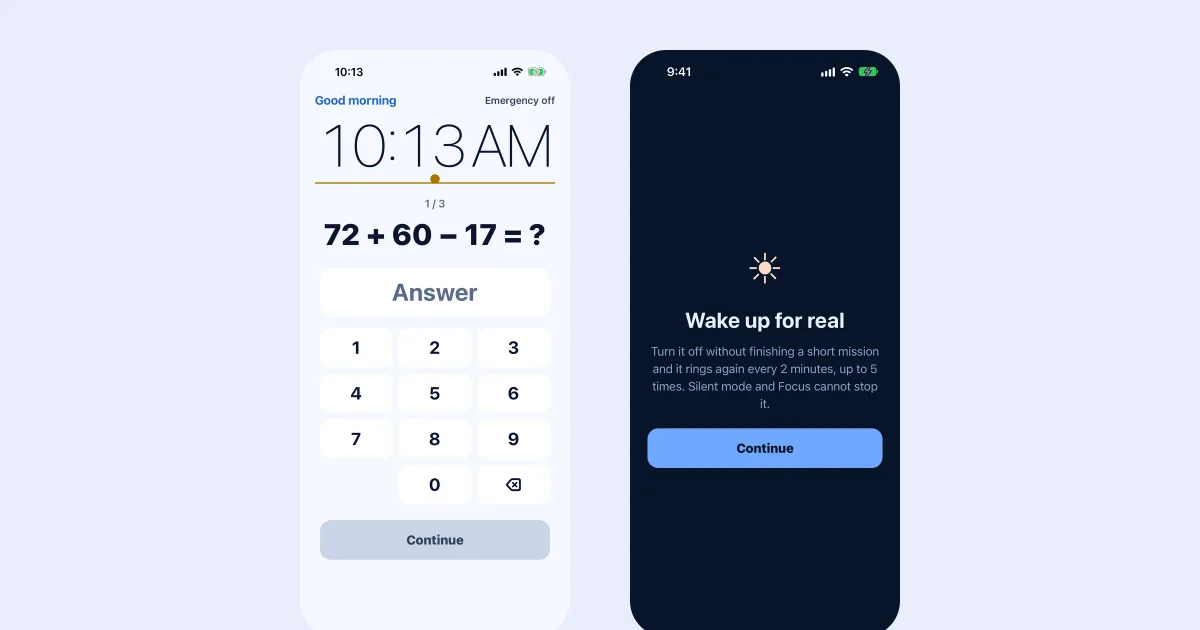
You set the alarm as usual. When it rings, you answer a short sum on screen, for example 72 + 60 − 17. Until the answer is right, the alarm does not stop. The idea is that the effort of a little arithmetic pulls you out of autopilot.
Who it can help
- Heavy sleepers who silence the alarm without really waking.
- People who hit stop and doze off again.
- Anyone who wants one deliberate action before the alarm ends.
Where it falls short
- It cannot guarantee you stay awake. Some people solve the sum and go back to sleep.
- If you are very sleep-deprived, the problem may be the amount of sleep, not the alarm.
- A hard task at 6 a.m. can be frustrating. Pick sums that are easy enough to do half asleep.
Making it work for you
- Start with the easiest level and step up only if you still switch the alarm off half asleep.
- Put the phone across the room, so you have to stand up to reach it.
- Check the alarm volume in Settings under Sounds & Haptics, because the alarm uses the iPhone's own alarm volume.
- Keep a regular bedtime. A task alarm cannot replace the sleep you did not get.
Setting one up on iPhone
RiseCheck is an iPhone alarm where each alarm has a task: maths, shaking your phone, or walking some steps. If the task is not done, the alarm rings again. It is built on Apple's own alarm system, so silent mode and focus modes do not stop it ringing, and after 3 failed tries it switches you to an easier backup task. There is also an emergency close for real emergencies. RiseCheck needs iOS 26.1 or later and has no account. See how to set a task alarm and the RiseCheck page.
- Add an alarm
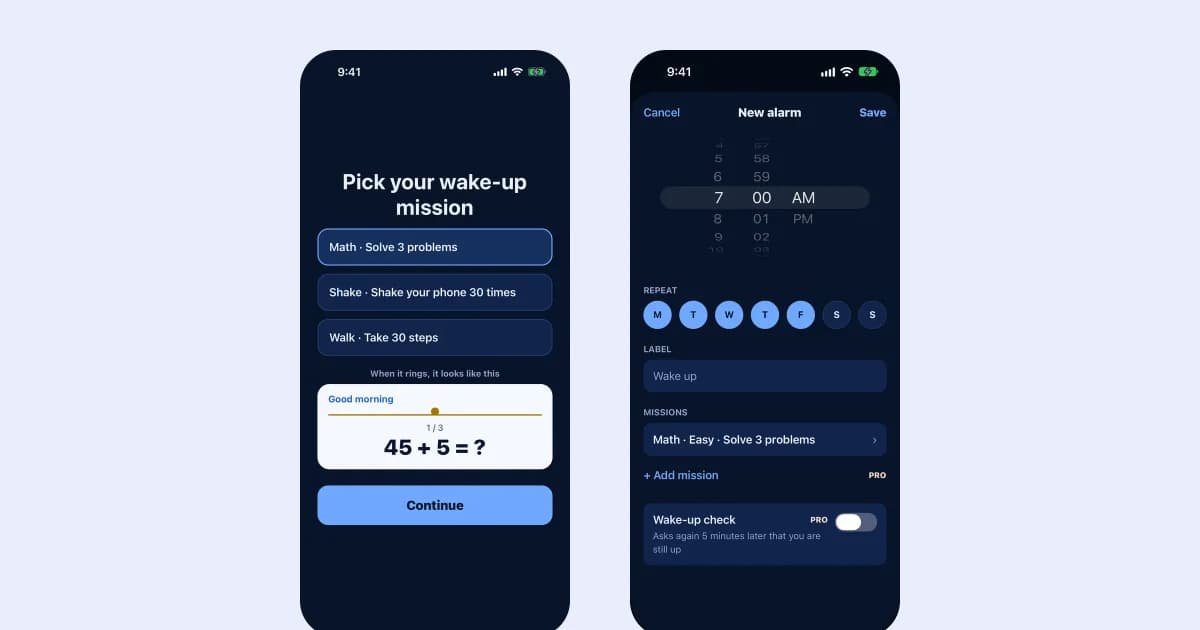
Add an alarm in RiseCheck and set the time and the days it repeats.
- Choose the maths task
Pick the maths task and a level. Choose sums easy enough to solve half asleep.
- Try the test ring
Use the test ring before you rely on it, so you know how it sounds and what the task looks like.
Frequently asked questions
Is there an alternative to maths?
Yes. RiseCheck also offers shaking your phone and walking steps, and the Pro version adds more. Pick the one you can do half asleep.
What if I cannot solve the sum?
After 3 failed tries RiseCheck gives you an easier backup task. See backup tasks and emergency close.
Is a plain alarm better for some people?
For people who wake easily, yes. A task alarm is for those who need an extra step.
Try a math alarm clock
RiseCheck asks for a short sum to stop the alarm, and rings again if you skip it.