
Image sizes for Facebook, Instagram and TikTok
Social platforms change layouts often, and only some of them publish exact image sizes. Below, every number marked "official" comes from the platform's own help page, read on 2026-10-30. Numbers marked "common suggestion" come from general practice, not from the platform, so check the platform's page before you rely on them.
Methodhelm editorial teamLast updated: 2 min read
Official source: facebook.com/help/125379114252045
- Page profile picture: shown at 176 × 176 px on computers and 196 × 196 px on phones, cropped to a circle. Upload 320 × 320 px.
- Page cover photo: at least 400 × 150 px. 851 × 315 px, under 100 KB, as an sRGB JPG, loads fastest. On phones it shows at 2.4:1. The profile picture overlaps the left side, and on phones the two overlap by about 40 px. Use PNG if the cover has a logo or text.
- Feed post picture: no fixed size published. Common suggestion: 1080 × 1080 or 1080 × 1350.
Official source: help.instagram.com/1631821640426723
- Photos are shown at most 1080 px wide. Between 320 and 1080 px wide, with a ratio between 1.91:1 and 3:4 (height 566 to 1440 px at 1080 wide), the original resolution is kept. Other ratios are cropped. Narrower than 320 px is scaled up; wider than 1080 px is scaled down.
- To keep 1080 wide: upload at least 1080 px wide in a ratio from 1.91:1 to 3:4.
- Profile picture, Stories and Reels: no official size found. Common suggestion: 320 × 320 for the profile picture; 1080 × 1920 (9:16) for Stories and Reels.
TikTok
- Official (video ad specifications, ads.tiktok.com/help/article/video-ads-specifications): vertical 9:16 at least 540 × 960; horizontal 16:9 at least 960 × 540; square 1:1 at least 640 × 640; .mp4 or .mov. This is for ads, not regular posts.
- Regular posts and profile picture: TikTok does not publish fixed sizes that we could find. Common suggestion: 1080 × 1920 (9:16) video, 200 × 200 profile picture.
Resize a picture to fit
- Pick the size
Decide the size from the lists above and note whether it is official or a common suggestion.
- Enter the size
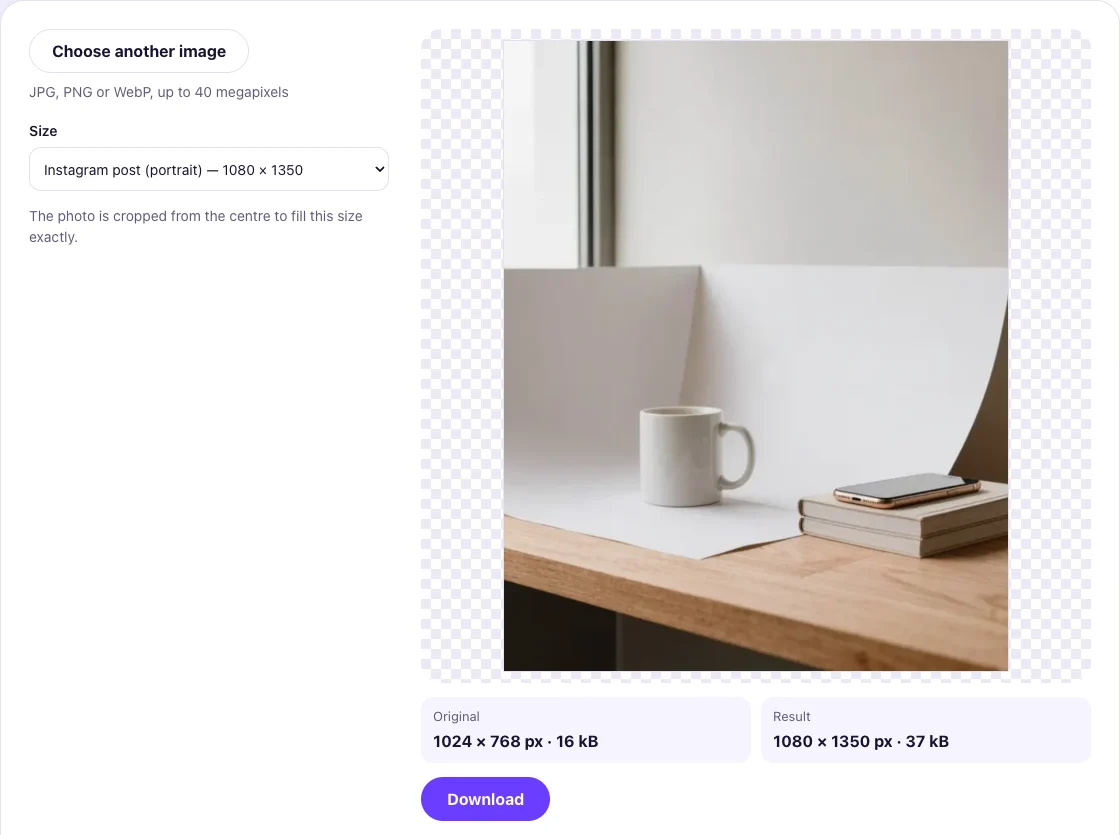
Open the Resize image tool and enter the width and height, or pick a preset.
- Download and check
Download the result and check it in the platform's preview before you post.
FAQ
Frequently asked questions
Do these sizes change?
Yes. Platforms redesign often, so open the official page linked in each section.
Why do my pictures look cropped?
A ratio outside the range is cropped. Instagram keeps 1.91:1 to 3:4 at full quality.
Can I use one picture for every platform?
You can start from 1080 × 1350 for feeds, but covers and profile pictures need their own sizes.
Why are some sizes "common suggestions"?
Because the platform does not publish them. We do not present them as rules.
Related guides

 Translate the Text in a Social Media Image Into Another LanguageUse the image translator for a quick bilingual version, then review the wording, the layout and the sizes before you post.
 How to Make a Transparent Background PNG From a PhotoCut out the subject, download the transparent PNG, check its size and keep it in a format that keeps the transparency.
Related tools


Exact pixels, a percentage, or ready sizes for social media.
Set the width and height in pixels, scale by a percentage, or choose a ready-made size for social media.