
Making Old Photos of a Pet Who Has Passed Clearer
Losing a pet often leaves you with a handful of photos, and they are not always good ones: a little dark, a little blurry, a screenshot from a video. This guide helps you make the best of them without turning your pet into someone else.
Methodhelm editorial teamLast updated: 3 min read
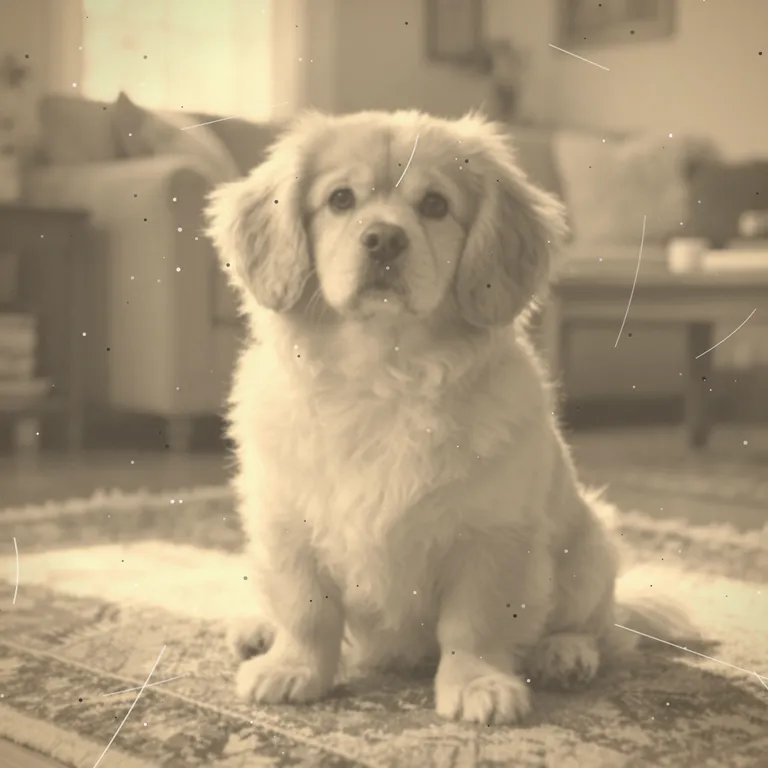
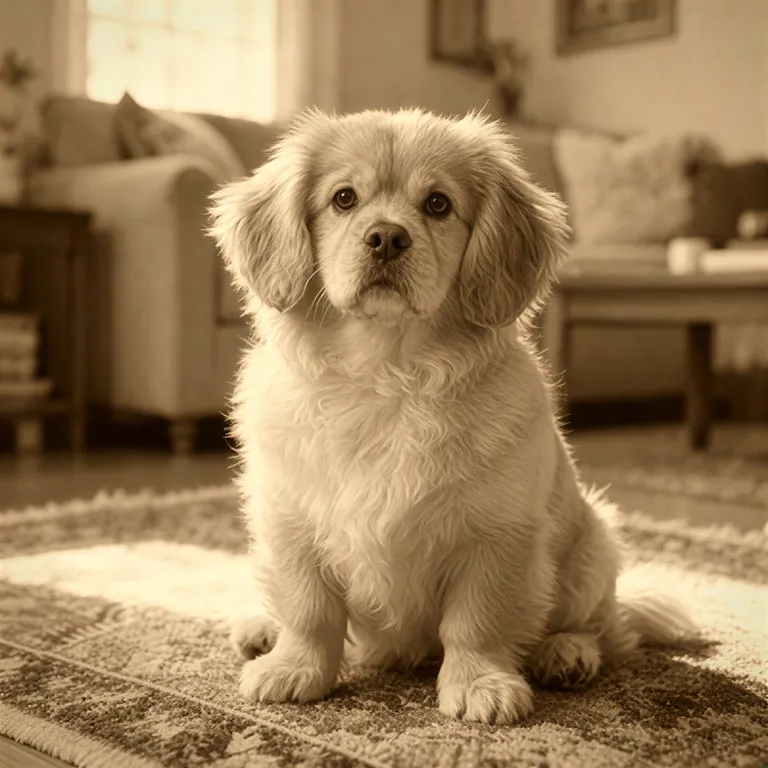
We use Photo restoration and Photo deblur. The site's FAQ says AI fills in missing detail, so faces may differ slightly from the original. (FAQ) That matters here, because you know your pet's face better than any tool does.
On this page
Start with the best original
- Collect every photo you have, including ones in old phones, messaging apps and cloud albums. The largest, least-compressed version is the best source.
- Photos that were sent through messaging apps are often smaller. If you can find the original file, use it.
- Choose a photo where the eyes are visible, the face is turned toward the camera and the light is even.
- Keep the originals safe. Don't overwrite them.
How to restore an old photo of your pet
- Look at the problem
Is the pet photo dark, scratched, faded, small or blurry? A dark photo is a lighting problem, see fix photo lighting. A soft photo is a blur problem, see fix a blurry photo.
- Try restoration first for age damage
Upload to Photo restoration, check the price, run it. It repairs scratches and damage, and keeps the original tones.
- Compare with the original at 100 percent
Look at the eyes, nose, whiskers, ears and the fur pattern. Does it still look like your pet?
- If the photo is still soft, try deblur
Photo deblur has several kinds of blur; pick the one that matches. Its result is at most 1600 px on the long side.
- Stop when it looks right
More runs do not always look better. If a result no longer looks like your pet, go back to the previous version.
- Save the restored pet photo within 24 hours
After 24 hours the restored pet photo is no longer kept, so download it first. The Privacy Notice says results are fully deleted from storage within 7 days.
What to check against your memory
We tried one old pet photo: scratches and white spots were cleared and the brown, yellowed tone stayed but got darker; after deblurring the fur and face were sharper. Whether the fine fur detail matches the original, you have to judge yourself. If a detail has changed, use the earlier version.
- Eye colour and shape.
- The pattern and colour of the fur: stripes, spots, white patches.
- Ears, nose and the shape of the face.
- Collar, tag or toy, if they were part of the photo.
Limits
- If the photo is very small or very blurry, the tool may not be able to find enough detail.
- The restoration tool keeps the original tones. For colour on a black-and-white photo, use the colorize tool.
- Please do not use a result that looks like a different animal. The original is the real photo.
Ways to keep them
Print the best photo, make a small album, or save the files in two places. Download results within 24 hours and keep the originals too.
Frequently asked questions
Will my pet look exactly the same?
Not automatically. The FAQ notes that a face may drift a little from the original, so compare the two side by side.
Can it add colour to a black-and-white photo?
The FAQ points to Old photo restore & colorize for that.
What if the face changes?
Don't use that result.
Do I get credits back if the pet photo restoration fails?
If restoring your pet's photo fails, no credits are taken and the held amount goes back automatically. A restoration that is still waiting for confirmation can keep its credits held until the check finishes.
Should I delete my original?
No. Keep it.
Related guides

 How to Fix Flat or Dull Lighting in a PhotoUnderstand why a photo looks flat, fix what you can when shooting, and relight the rest with golden hour or soft light.
 How to Fix a Blurry PhotoRecognise the kind of blur in your photo, sharpen it with AI or a classic editor, and know when a picture cannot be saved.
Related tools
Try your clearest photo first
Upload one photo, see the credit price before it runs, and compare the result with your memory of them.