
Free tool
Compress an image to under 50 KB
The usual limit for passport-style photos on exam, scholarship and job application forms.
Your image is processed on your device and is not uploaded to our servers. Closing the page discards it.Choose an image → adjust → download
Example
Same photo, a fraction of the size
A close-up of the same detail. The badges show the real file sizes.

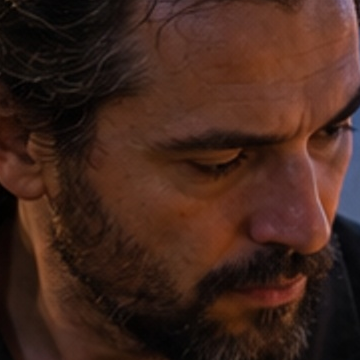
- Original
- 1.2 MB
- Result
- 50 kB
About this setting
What a 50 KB photo looks like
At 50 KB a JPG holds a clear head-and-shoulders photo of roughly 400 to 600 pixels on the long side. That is enough for a face to be recognised on screen or on a small printed ID card, but not for a full-size print. The tool lowers the quality first and reduces the pixel size only when it must.
Many portals pair the 50 KB limit with a photo size such as 200 × 230 pixels or 3.5 × 4.5 cm and a light background. This step only handles the file size, so set the shape and the background first.
Tips
- Crop to head and shoulders before compressing: a tighter photo looks sharper at the same file size.
- Use a plain, light background — flat areas compress well, while busy patterns eat into the 50 KB.
- Keep JPG selected for forms: it is the format almost every portal accepts.
AI tools
Take it further with AI
When a free fix is not enough, this AI tool can help.

FAQ
Good to know
Will my photo look blurry at 50 KB?
Not for a portrait at the sizes forms ask for. A head-and-shoulders photo around 500 pixels tall stays sharp at 50 KB; only large group or landscape photos lose visible detail.Why does the form reject my file even though it is under 50 KB?
Most portals also check the format, the pixel size and sometimes a minimum file size. Make sure the file is a JPG and matches the pixel or centimetre size the form asks for.Can I compress a PNG to 50 KB?
Yes. It is saved as JPG, which is far smaller for photos. Transparent areas turn white, which suits forms that want a white background.
Presets