
Free tool
Compress a JPEG image
Make a JPG file smaller and keep it a JPG, with a quality slider that shows the new size as you move it.
Your image is processed on your device and is not uploaded to our servers. Closing the page discards it.Choose an image → adjust → download
Example
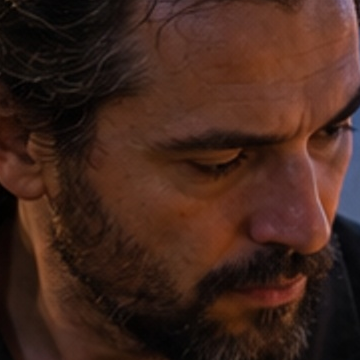
Same photo, a fraction of the size
A close-up of the same detail. The badges show the real file sizes.
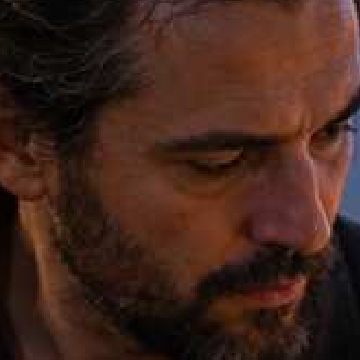
- Original
- 1.2 MB
- Result
- 100 kB
About this setting
How JPEG compression works
JPEG discards the detail the eye is least sensitive to, and the quality setting decides how much. Cameras and phones usually save at 90–95%, far more than a screen needs. Saving again at 70–80% often halves the file or better with no visible change; below 50% you start to see blocky edges and smudged colours.
Every new save of a JPEG loses a little more, so compress the best copy you have — the original from the camera, not a file that has already been sent through a chat app.
Tips
- Start at 75% and look at faces, sky and text in the preview; go higher if you see blocks or banding.
- If a form names a limit, choose a target size instead of using the slider.
- Do not compress the same JPEG over and over; every round adds artefacts.
AI tools
Take it further with AI
When a free fix is not enough, this AI tool can help.
FAQ
Good to know
What quality should I use for a JPEG?
70–80% suits most photos shown on screen. Use 85–90% for photos you may print, and avoid going below 50%.Does the tool keep the JPEG metadata?
No. The new file is drawn from the pixels, so camera details such as the location and the phone model are not copied. That also makes the file a little smaller.Can I make a JPEG smaller without losing any quality?
Not with this tool: every JPEG save is lossy. The slider lets you pick a point where the difference cannot be seen.
Presets