
Gray Hair: Dye It or Keep It? Preview the Options on Your Photo First
Some people want to cover gray, some want to keep it, and some want to go silver on purpose. It is easier to decide when you can see an approximate version on your own face.
Methodhelm editorial teamLast updated: 3 min read

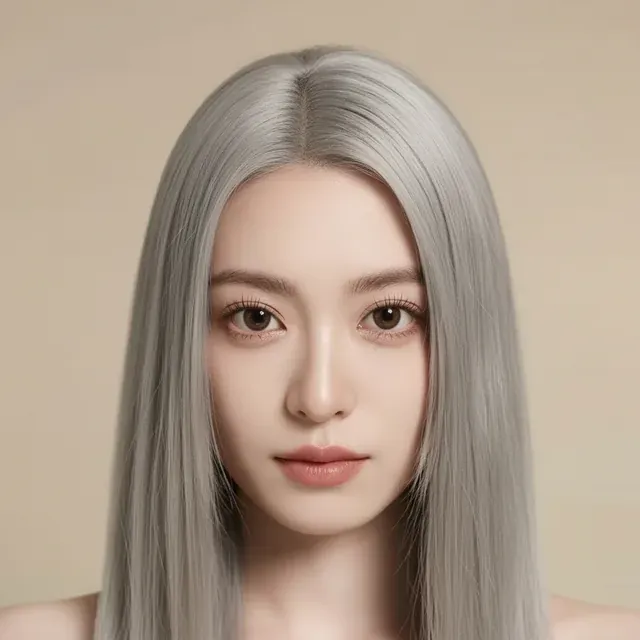
This guide uses the Hairstyle changer to preview colours on one photo. It covers choosing shades and judging them. For the full process and how to brief a stylist, see Preview a hair colour or haircut before the salon.
On this page
Take a photo that shows your real hair
- Daylight from a window, even on both sides of your face. Avoid coloured or yellow light.
- Hair down and away from your face, so your hairline and parting are visible. Gray often shows most there.
- Look into the lens with your hair uncovered: no hat, scarf or hood.
- Take a second photo of your roots and the sides, to show your stylist.
How to preview covering gray hair
- Choose your clearest front-facing photo
Upload a JPG, PNG or WebP of at least 128 px on a side to the Hairstyle changer; larger photos are resized to 1600 px before upload.
- Add it, using a photo of yourself or of someone who has agreed
- Keep the hairstyle the same and change the colour
The tool has 10 colours: natural, black, dark brown, light brown, blonde, platinum blonde, auburn, red, silver and pink.
- Run three options
For example natural, a shade darker, and silver. Seeing both ends makes the middle choice clearer.
- Check the price, then preview the color
Before the run you see the exact credit price, and the color preview usually takes 20 to 60 seconds. When a run fails, the held credits come back by themselves; if the outcome is not confirmed yet, they may remain held until the check is finished.
- Compare in daylight on one screen
The result is about 1 megapixel (around 1024×1024 for a square photo). Download within 24 hours.
- Sleep on it
How to judge a shade
- Against your skin. Some shades make a pale or tired complexion look warmer, others make redness stand out. Your own reaction matters most.
- Against your eyebrows. Very dark hair with light eyebrows is a deliberate look; decide whether you like that contrast.
- Against your natural look. A shade close to your natural colour usually grows out more gently than a very different one. Ask your stylist.
- On more than one screen. Colours differ between devices and night modes. Treat the preview as a direction.
What a preview cannot tell you
- It does not know your hair's texture, condition or colour history, or how much gray you have in each area.
- A real colour may look different from the preview, and how it covers or blends gray depends on your hair. Only a stylist who sees your hair can judge.
- It cannot show how often you would need to touch up roots.
- It is generated by AI, and it may change details other than the hair, so judge the hair only.
What to ask your stylist
- What is realistic for your hair and how many appointments it takes.
- How the colour grows out and how often to touch up roots.
- The cost, including follow-up visits.
- Whether there are gentler options, such as highlights or a gloss, if you want to blend rather than cover.
- If you dye at home, follow the patch-test instructions on the product every time.
Frequently asked questions
Can the preview show gray hair covered?
It shows an approximate new colour on your photo, not how a real dye will cover your gray.
Is silver a real option?
It is one of the tool's 10 colours, so you can preview it.
Will it look the same in real life?
Probably not exactly. Use it as a conversation starter.
Does previewing a color cost credits?
Yes, credits are used for it. The price shows up before every run. A color preview that fails gives the held credits back, and an unconfirmed one may keep them held until the check is done.
Can I use a photo of a relative?
Only if your relative agrees to you trying colors on their photo.
Related guides

 How to Preview a Hair Color or Haircut on Your Photo Before the SalonTake a usable reference photo, try hairstyles and colors on it, judge the results honestly and turn them into a clear brief for your stylist.
 How to Try On Clothes Virtually: See the Look Before You BuyTake a usable full-body photo, choose a clean garment image and read an AI try-on preview for style and colour, not for size.
Related tools

Preview a few shades on your photo
Upload a clear photo, try natural, darker and silver, see the credit price first, and take the shortlist to your stylist.