
Restoring Photos for Other People With AI Tools: What to Agree and What to Check
Many people have a box of old family photos and no time to fix them. Offering to restore them can be a small service. But other people's photos are personal, and the customer will judge the result against a memory.
Methodhelm editorial teamLast updated: 3 min read
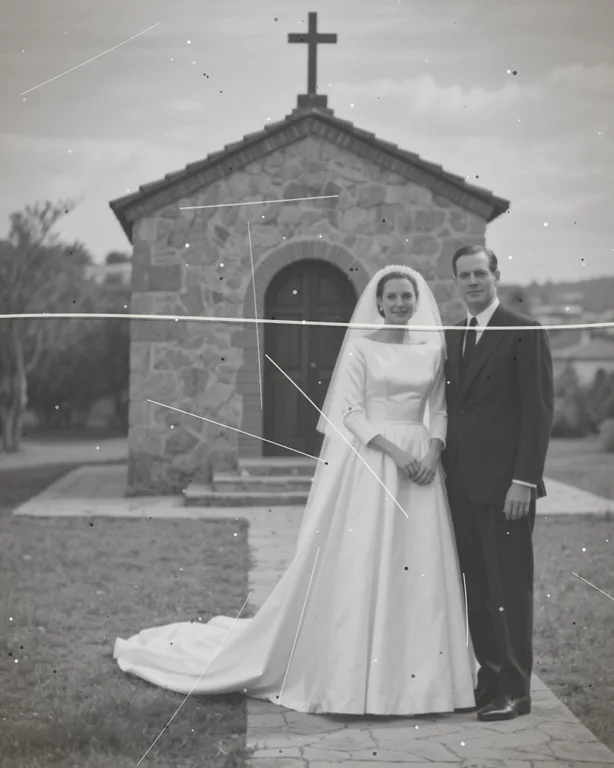
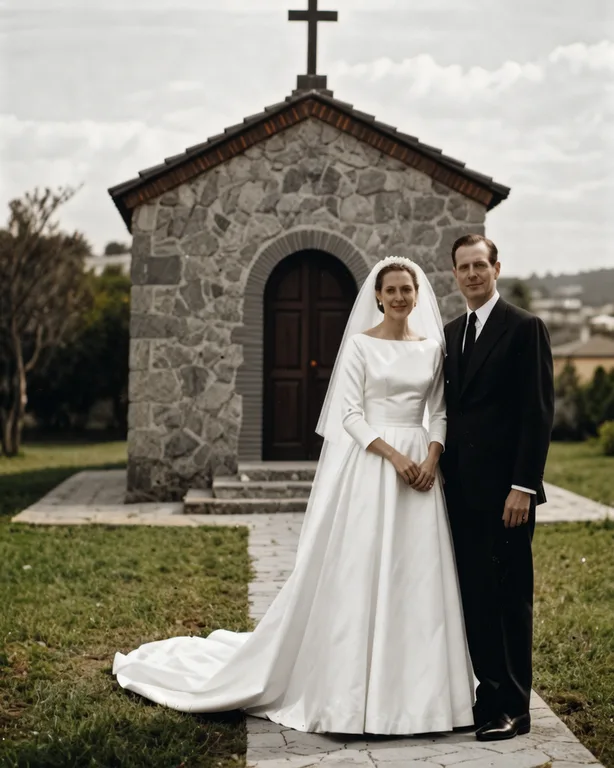
This guide covers the basics of working with customers: what to agree, how to handle files, and where the tools help and where they do not. It is not legal, tax or business advice, and it does not suggest any income. Check the rules where you live. For the repair steps themselves, see fix an old photo in the right order.
On this page
Know what the tools do
- Photo restoration repairs scratches and damage. It keeps the original tones. For colour, use the colorize tool.
- Colorize adds colours that are a plausible guess, not a record of the real ones.
- Deblur may redraw detail, so compare with the original. Its result is at most 1600 px on the long side.
- Tools can change faces, clothes and details. Check every result against the original.
- Each tool shows its credit price before it runs; failed runs return held credits; results are kept for 24 hours. The Privacy Notice says results are fully deleted from storage within 7 days.
Agree these things with the customer, in writing
- What you will do
and what you will not do (for example "scratch repair and sharpening, no colour correction").
- The tools used
Say that AI tools are used and that results can differ from the original in details.
- Permission
The customer confirms they have the right to ask for the restoration, and the people in the photos are not harmed by it.
- Number of revisions
How many tries you will make.
- Price and payment
Your own, set by you. Remember that tool credits cost money for every run.
- Delivery
File format, size and the date. Say that the result may be smaller than a large print needs.
- What happens to the files
How long you keep them, and that you delete them afterwards.
Handle the files carefully
- Ask for the best scan or a good photograph of the original print. See How to restore old photos for scanning tips.
- Keep the original, each step's result and the final image in separate files.
- Download results within 24 hours, because the site keeps them for 24 hours.
- Don't share a customer's photos publicly or use them for your own marketing without permission.
Be honest about the result
- Show the customer the before and after together.
- Say what was changed, for example "colours were added by a tool and are a guess".
- If the face no longer looks like the person, don't deliver that version.
- Don't promise a result before you've tried the photo.
Limits to say out loud
- A very damaged, small or blurry photo may not improve enough.
- The restoration tool keeps the original tones; colour is added with the colorize tool.
- Results are a restoration, not an exact copy of the lost detail.
Frequently asked questions
Do I need the owner's permission?
Yes, from the person who has the right to the photo.
Can I promise a result?
No. Try one photo first and show what you got.
Who keeps the files?
Agree this with the customer.
What if the tool fails on a customer's photo?
If the tool fails on a customer's photo, you are not charged and the held credits come back automatically. If the result is not yet confirmed, the credits may stay held until the check is finished.
Is this a business I should set up formally?
That depends on your location. Ask a local advisor.
Related guides
 Scratched, Blurry and Black and White? The Order to Fix an Old PhotoWhen one old photo has several problems, run repair, deblur and colorize in a sensible order, check each result, and stop when it is good enough.
 How to Restore Old Photos Without Losing the OriginalHandle, scan and repair scratched, torn or faded family photos, and keep an untouched copy of every original.
Related tools


Try one photo first
Run one photo through the restoration tool, see the credit price before you run it, and compare it with the original.