
Online Passport Photo vs Photo Studio: Which One Fits Your Case
Most people ask this question because of a deadline: the form is open, the photo is missing, and a studio is a trip away. The honest answer is that neither route is better in general. One of them is often simply not allowed for your document, and that settles it before price or convenience comes into it.
Methodhelm editorial teamLast updated: 5 min read
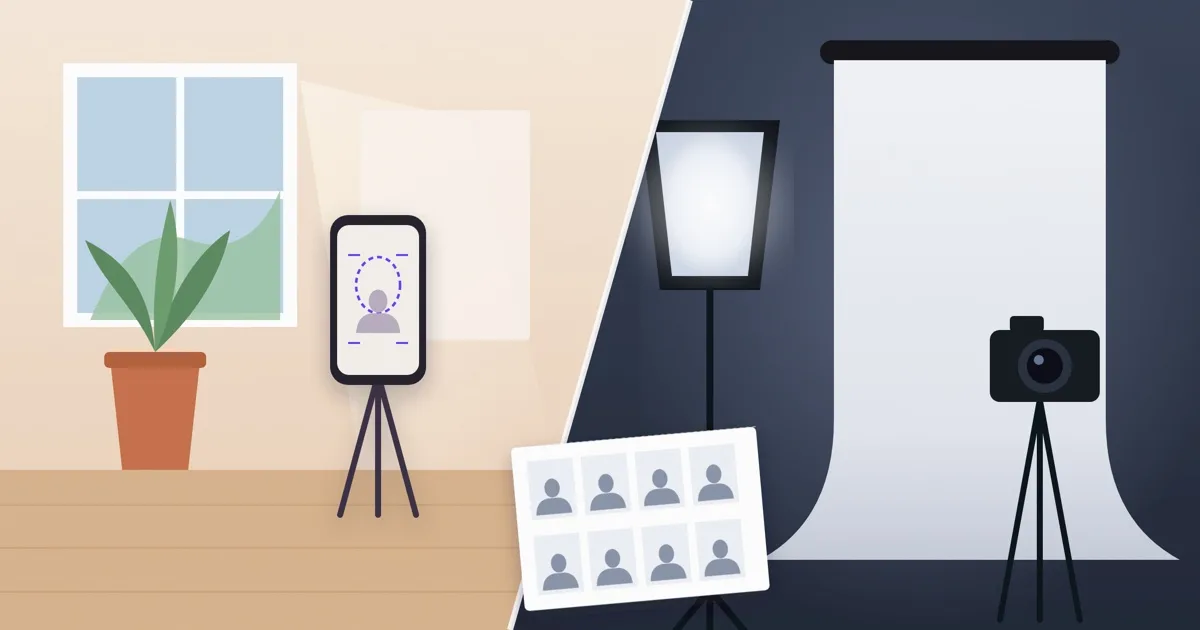
This guide compares the two on the things that decide the outcome: what your office accepts, how much risk of rejection you carry, how much time it takes, and what each route cannot do. It does not name studios or quote prices, because both vary by place and change. Always check your issuing office's current photo rules first.
On this page
Step zero: does your office allow a home photo at all?
This one fact removes one of the two options in many cases, so check it before anything else. Some countries accept a photo you took yourself, and some only take photos captured at the office or sent digitally by a registered photographer or studio. Germany, for example, works the second way for passports and ID cards.
If your office takes only photos shot at the office or sent by a registered studio, the question is closed: take the photo there, which in practice means a studio or the office itself. If it accepts a photo you took, both routes are open and the rest of this guide helps you choose.
What the online route is, and what it can and cannot do
In this guide, the online route means: you take the photo yourself with a phone, then use software to crop it to the right size and print it. Methodhelm's passport photo maker has a No-edit crop that sets the frame and head-height guides for your country and document, and your original background stays as you shot it. The Crop image tool works on your own device, uploads nothing and uses no credits.
- Good at: sizing and framing. You get the exact dimensions and a print sheet without leaving home.
- Good at: retakes. If a shot has a shadow or a blink, you take another in a minute.
- Not able to fix a bad source shot. Software cannot remove a shadow across your face, open closed eyes, sharpen heavy blur or straighten a turned head.
- Not able to make a replaced background acceptable. Many offices treat a replaced background as an edit; the rejection guide lists official wording for the UK, US, South Korea and Taiwan.
- Not able to promise acceptance. The issuing office decides, and rules change.
What a studio is, and what it cannot do
A studio means a photographer or photo booth that shoots you on the spot. It is the route that keeps lighting, distance and pose out of your hands.
- Good at: lighting and background. A proper setup avoids the shadows that cause many home rejections.
- Good at: offices that need a studio code or a digital submission from a registered studio.
- Costs time: travel, opening hours and sometimes a wait, which matters if you need the photo tonight.
- Costs money: check the price locally before you go, because it varies by place and by what is included.
- Not a guarantee either. A studio may know the rules better than you, but the office still decides whether the photo is accepted.
Side by side
- Rules fit: a studio or the office itself is the only route where self-taken photos are not accepted; online works only where self-taken photos are accepted.
- Rejection risk: online depends on your light, distance and pose, so it is higher if you rush; a studio lowers the shooting risk but not the office's final decision.
- Time: online can be done in minutes at home once you have the light; a studio adds travel and opening hours.
- Cost: retaking a phone shot costs nothing; a studio's price is local, so check it. Methodhelm's credit prices are shown before you run a tool and listed on the pricing page.
- Control: online gives you unlimited retakes; a studio gives you a trained eye on the setup.
How to choose in four steps
- Read the office's photo page
Find the official page for your exact document. Note whether self-taken photos are allowed, whether editing is banned, and the size and head height.
- Check your deadline
If you need the photo tonight and self-taken photos are allowed, the online route is the faster one. If you have a few days, a studio is a reasonable choice.
- Be honest about your light
A large window facing you and a plain light wall make the online route workable. A dark flat with one ceiling lamp is a reason to choose the studio. The home passport photo guide shows the setup.
- Pick one and keep a fallback
Try the online route first if it is allowed and you have time. If the shot still has shadows after a few tries, book the studio instead of editing it.
A mixed route that many people use
These are not exclusive. Some people have a studio take the photo and then use a crop tool for the second size they need for another application. Others shoot at home, crop with the No-edit crop, and keep a studio visit as a backup if the office rejects the file. If a photo is rejected, see Passport photo rejected: what to check and what to do next before spending on another attempt.
Frequently asked questions
Is an online passport photo as good as one from a studio?
It can be, if your office accepts self-taken photos and you get the light, distance and pose right. It cannot be better than your source shot, because software cannot fix shadows, closed eyes or heavy blur.
Which is faster?
Online is usually faster once you have good light, because there is no travel or opening hours. A studio can be faster if your home has no usable light and you would otherwise retake many times.
Is a studio always accepted?
No. A studio lowers the risk of a shooting mistake, but the issuing office still decides, and rules change. Check the current rules for your document.
Can I replace the background to save a trip?
Often not. Many offices count a replaced background as an edit and refuse the photo. Retake against a plain light wall, or use a studio, unless your office clearly allows an edited background.
What do I pay if I use Methodhelm?
The Crop image tool works on your own device and uses no credits. The passport photo maker shows the exact credit price before you run it, and failed runs return held credits automatically. See the pricing page.
Related guides
 How to Take a Passport Photo at Home That Meets the RulesLighting, background, expression and glasses rules for a home passport photo, plus how to print it at the exact size.
 Passport Photo Rejected? What to Check and What to Do NextFind out why a passport or visa photo was rejected, decide between a retake and a crop, and avoid edits that get a photo refused again.
Related tools



Start with the size your document needs
Pick your country and document, line your head up with the guides and download the exact-size photo. Check your office's rules first.